Shared Leadership Teams: What They Are and Aren’t

Schools already have lots of groups that they call leadership teams. But many of them are not what I would refer to as “shared leadership teams,” not in the sense we’re talking about here. I would probably call them “management teams.”

Schools frequently have teams that are used to help share information between building administration and teams or departments, or to decide how and when to transition between terms or trimesters, or how to handle lunch on days with special events, or how to schedule fundraisers from various groups, etc.

I am not implying that these management tasks are unimportant, because they are. Further, I believe they are best handled with teacher input and representation and not by administrative edict.

To me, however, management teams handle tasks related to the day to day running of the school.

Shared leadership teams focus on the strategic work of the school. They focus on school change and improvement.
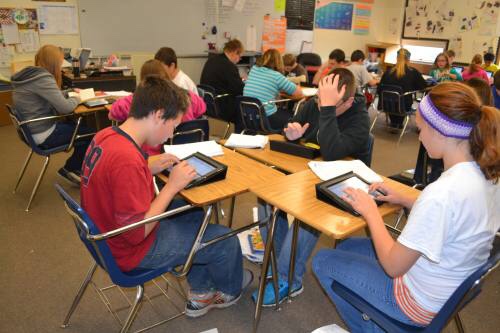
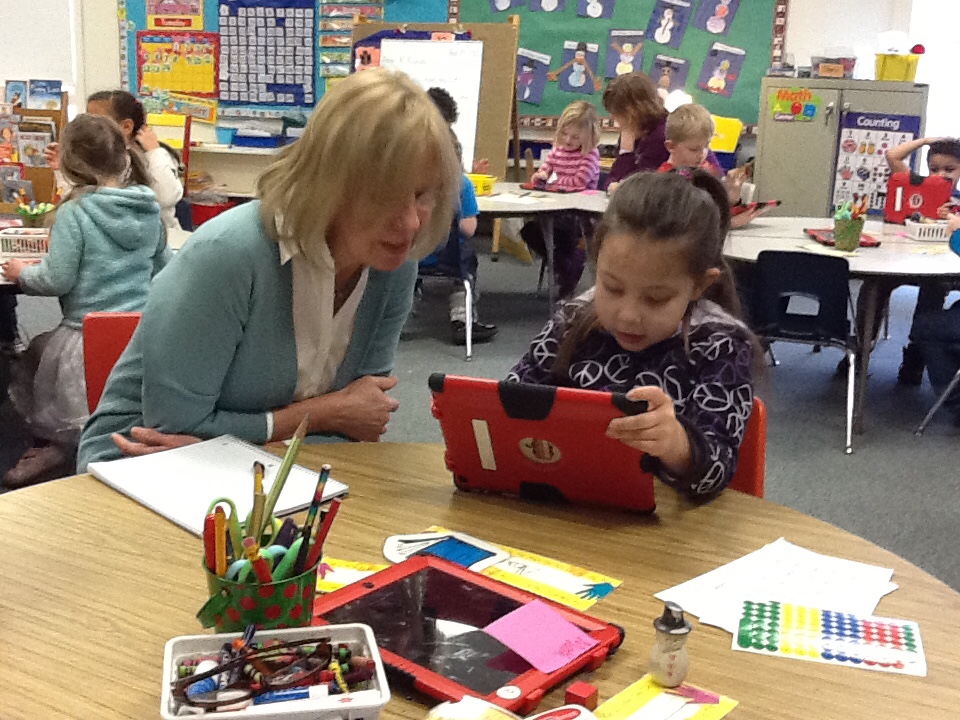
Students learning with tablets

In Auburn, we call them “Design Teams” because of the design and planning nature of their task. Another district I work with calls them “Implementation Teams” because they will lead the implementation of their strategic initiatives (and their “design teams” serve a specific function in school construction projects). Other folks call them “Work Groups.” It doesn’t matter so much what they are called, as the work that they do.

Design teams assess where in the implementation process your educators are, identify timely next steps, assist in providing formative feedback to those educators, help troubleshoot and problem-solve the challenges of implementation, and facilitate the sharing of ideas. It’s roll-up-your-sleeves strategic work. It’s about assessing what needs to be done right now to help your initiative be successful. And it’s about collaboratively crafting the overarching systems and structures that will guide your project.

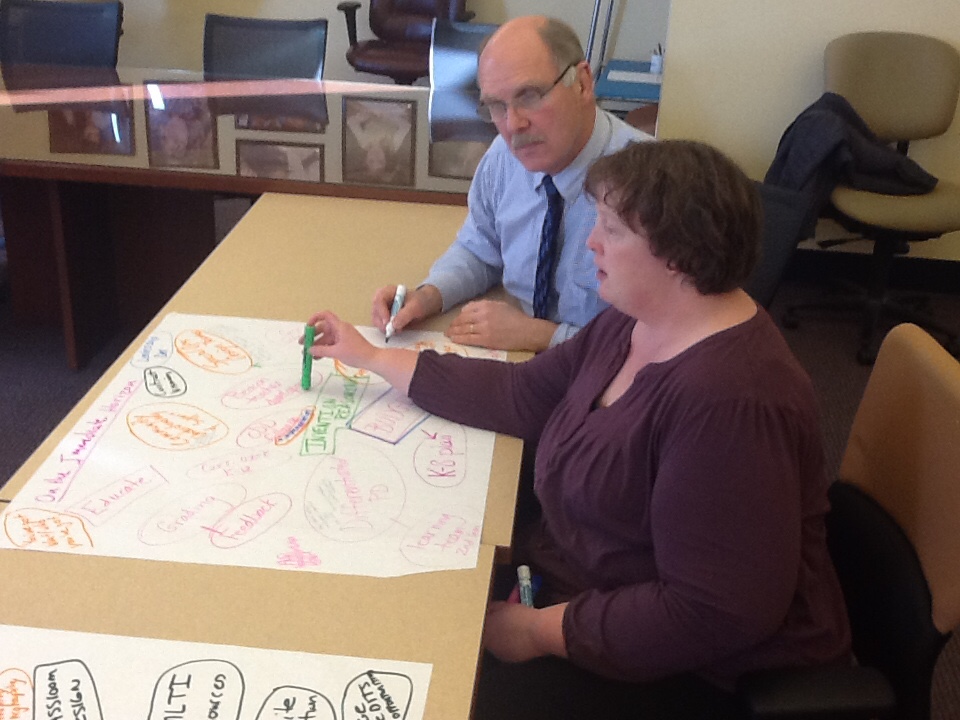
Leadership Teams

For example, when Auburn started their 1to1 iPads in primary grades initiative, the design team for that initiative met periodically to plan various aspects of the program, including: what grade level we should begin with (kindergarten); the original name of the initiative; how to handle a small exploration program in 5 classrooms to figure out how we wanted to move forward with the program; how to craft a small randomized control trial (research study) at the beginning of the project, to insure we were collecting and analyzing data on how we were doing. Later, the role of the team evolved to focus on both on-going support of teachers and the special needs of rolling out 1to1 tablets to a new grade level each year.

As stated previously, shared leadership teams are made up of diverse stake holders. The power comes from these diverse perspectives.

But they are not simply an advisory group. They are the decision making body.

And, as much as possible, decisions are made by working toward concensus. Not everyone has to agree, but, as much as possible, everyone should be able to live with a decision. And lots can be learned by asking (nicely) someone to clarify their dissenting point of view. I find that often they have some concern many of the rest of us haven’t thought about, but that we should consider and plan for.

Keep in mind that lots of perspectives and shared decision making does not mean letting folks do what ever they want (if that’s worrying you). If you are the administrator, you still help set the non-negotiables and parameters of a decision. As a member of the team, your perspective is one of those shared in the discussions.

So shared leadership teams are not advisory groups, management teams, nor information dissemination groups (even if these are important tasks that need to be addressed somehow within the school or district).

What shared leadership teams are is a driving force to do the following:

  • Work Out Details
  • Solve the Problems
  • Invent the Next Pieces
  • Systematic Change and Continuous Improvement

Reframing Professional Development (Again)

Professional Development is more than just workshops, readings, and online courses. So what is it? And why am I dissatisfied with PD being reduced to these usual components? I think I have rewritten (and rethought) this post more than any other. My earlier thinking is posted here, and here.

Why reframe it again now?

I think I finally figured out what it is that makes us (Auburn Schools) think differently about professional development.

It’s the proficiency piece.

Teacher and student

We aren’t interested in simply sharing techniques or information. We want changes in classroom practice.

I have collaborated with other districts and initiatives, and I hear frustrations about how much they have invested in professional development – how many sessions they have provided – and how it has resulted in very little change in practice.

I think it is because our thinking about professional development has been incomplete. Sometimes folks say that teachers are oppositional or unwilling to change, but I think it is that workshops are simply insufficient (and perhaps their role is misunderstood), even though they are a key component.

Over time, our understanding about what we need to pay attention to in terms of PD and support has expanded to include 3 overarching categories: clarity; support for foundational knowledge, and support for achieving proficiency.

Clarity

  • A Professional Learning Curriculum – If we have an initiative (technology integration, proficiency-based learning, math instruction, middle level practices, what ever it may be…), what do we want our educators to become good at? As with young learners, adult learners can excel when we are transparent about what we would like them to know and be able to do. What are the (clearly articulated) knowledge and skills we want our educators to become proficient in, and what scopes and sequences make sense?
  • A Professional Learning Progress Management System – How will we manage, acknowledge and certify adult learning (just as we should for student learning)? What system(s) will we use to help make the professional curriculum and pathways transparent, to certify teacher proficiencies as they move through their professional curriculum, and to record and manage their “certifications” (micro-credentialling, “badging,” Educate/Empower or other learning progress management systems)?
  • Answering “But What Does It Look Like?” – Simply stated, this is “models & examples”; a curated collection of possible documents, classroom visits, videos, photos, and articles, etc., to help teachers develop a sense of what an aspect of the strategy would look like in action. Teachers often have an intellectual understanding of what they are being asked to do, but not a practical understanding. These models and examples play a critical role in helping them move to the point of being able to try this new idea in their own classroom.

Support for Foundational Knowledge

  • “Same Page” Trainings – These are introductory workshops, getting teachers on the same page about a new set of concepts, skills, or strategies they will be working to implement. We used to think of teachers as leaving a workshop as proficient in the new skill. Now we think of these “same page” sessions as just the beginning. The real (professional) learning happens when they go back to their classrooms and try out the strategy (see the PD components in the next category).
  • Reusable Learning Objects – Instead of having to wait for a workshop, or for the Tech Integrator or Instructional Coach to visit her classroom, these how-to articles, lessons, short courses, videos, and other digital resources (aligned to our professional learning curriculum) are available to a teacher as she needs them.

Support for Achieving Proficiency

Lesson Invention
  • Lesson Invention and Tryouts – There is much to any new system that needs to be designed or invented (or at least adapted for our schools). The work teachers do to design, invent, prototype, refine, perfect, and share these systems and strategies is valuable professional learning for all of us. Even relatively simple ideas or strategies, if they are truly new to a teacher, require some level of “invention” for that educator to put them into action. Embedded in the idea of lesson invention and tryouts is the notion of continuous improvement, and the chance to try a skill in the classroom, reflect on how it went and how it could be done better, and then try it out again with the improvements (play-debrief-replay).
  • Coaching and Feedback – Keeping with the idea of continuous improvement, this includes the teacher working with any Technology Integrator, Instructional Coach, administrator, or peer, who models lessons or strategies, co-designs or plans with the teacher, observes, and/or provides formative feedback to support the teacher’s professional growth and ability to increase the level of fidelity with which they can implement the strategy.
  • Teacher Face-to-Face Time – Teachers need time to sit with other teachers working on the same initiatives to share experiences, ideas, and resources, as well as to ask questions and seek support. They need a chance to share things that they have tried that worked, and to seek assistance with those things they are still challenged by. And the notion of “face-to-face” can extend well beyond her school or district via the blogs and social networks the teacher builds and follows.
Teacher Face-to-Face Time

We don’t just see that there are 3 categories of professional learning, but we acknowledge that all three compliment each other and are needed. Teachers don’t get to proficiency without the foundational supports. To offer workshops without defining the desired broader professional learning at best leaves gaps in teachers’ learning and at worst becomes a collection of random workshops. To share a set of expectations with teachers (the professional curriculum) without providing training and supports is the irresponsible expectation that they can change practices without supports.

Successful changes in classroom practice come when there is clarity, as well as support for both building foundational understandings and growing to proficiency.

If your initiative isn’t progressing the way you would like, if you aren’t seeing the the classroom changes you’d like to see, I’d invite you to look at the strategies within the three categories. Is your initiative attending to each?


Progress on our Professional Learning Project

Like a lot of districts working on large initiatives, we're struggling with how we can provide all the professional development and support our staff needs and how to manage the professional learning. Much of that development and systems work for us (Auburn School Department) is now part of the Distributed PD Project (watch this overview of the project.)

The project is more about creating our professional learning systems, than it is about actual workshops, trainings, coaching, etc. The project started with looking at supporting teachers with technology integration (leveraging technology for learning), but we knew we needed a similar system for our around Customized Learning. Recent developments have increased Customized Learning as a priority, but we are continuing to put as much attention into the technology for learning piece – both as a subset of the Customized Learning work, but also to support the folks who are primarily interested in the technology professional learning.

We have just shared a draft professional curriculum grid for Technology for Learning and a draft professional curriculum grid for Customized Learning. Each is only a partial grid outlining the Measurement Topics and steps or learning progressions within each Strand. By partial, we mean incomplete, but we have shared them hoping that others will collaborate with us to complete them.

Also, we have started a heightened collaboration with Educate/Empower around this work and are collaborating more intensively with 3 other Maine districts who share the same needs. Working from a proficiency-based learning perspective, and recognizing the power of a transparent curriculum and easy access to resources and support, the project is, right now, focused on the following:

  • Creating a professional learning curriculum/continuum for transitioning to Customized Learning, including for leveraging technology for learning
  • Developing a micro-credentialing (badging) infrastructure for that curriculum (we have selected Educate/Empower for the platform)
  • Developing or collecting reusable learning objects (videos, online resources, online modules, etc.) aligned to our professional learning curriculum
  • Develop a system to recruit and certify a cross-district cohort of “certifiers,” who will review educators' evidence of proficiency in the professional learning


Benefits of Attending Auburn’s Leveraging Learning iPad Institute

Auburn Schools (ME), an early adopter of 1to1 iPads in primary grades, hosts the annual Leveraging Learning Institute on the topic. Registration for the Nov 12-14 Institute opens at noon (ET) on August 21.

Dr. David Murphy, RSU 44 Superintendent (Bethel, ME), has sent a team to the Institute every year. In this video, he discusses both what his district has gotten from attending the Institute, and the benefits of sending a team of teachers, administrators, tech integrators, and technicians.


Registration is limited to 135, so be sure to register early. Districts are encouraged to send teams, and the Institute is structured to support teamwork (but individuals are welcome, too!).

This year, we are expecting the Institute to be internationally rich! More than a third of our participants are likely to be educators from outside the United States. What a great opportunity to share your experiences and learn from educators from across the country and around the world!

Learn more by visiting the Leveraging Learning Hold the Date Page.  We hope to see you at the Institute!


The (New) Evolving Face of Professional Development

We’ve been thinking a lot lately about professional development. 

We’re working on a comprehensive project to define a professional learning curriculum related to our strategic initiatives (Customized Learning, Tech for Learning, etc), build modules and professional learning playlists around those learning targets, and provide a system for certifying teachers for their accomplishments and for what they know and can do. And I have written before about how our thinking about professional development has evolved over time.

This post captures our current (Summer 2014) thinking on the topic.

Not only are we recognizing that we just don’t have enough resources and opportunities to do traditional “everyone in the same room” professional development, but we have started thinking differently about the purpose of those workshops and other whole-group PD.

Until recently, I used to think of whole-group PD as the end. Teachers attend the PD session and they would leave being proficient at the skill taught in the session, ready and able to implement it well in their classroom.

Now, I think of whole-group PD as just the beginning, an opportunity to introduce a group to a new idea and get them all “on the same page” before they begin working in their own classrooms at learning how to implement the skill well. This is especially important given that the work we’ve been doing lately around Customized Learning, including teaching with iPads, is new to teachers (they haven’t experienced this themselves as learners) and have to invent many of the pieces. 

And that idea, the idea that these new skills are complex, and need inventing and development, and later need practice, and that teachers need to be supported throughout their work to get good at them, has us thinking about workshops as just one small piece of professional development.

For us, professional development for our teachers needs to include some fluid combination of these components:

  • “Same Page” Trainings – These are introductory workshops, getting teachers on the same page about a new set of concepts, skills, or strategies they will be working to implement.
  • Lesson Invention & Tryouts – There is much to this new system that needs to be designed or invented (or at least adapted for our schools). The work teachers do to design, invent, prototype, refine, perfect, and share these systems and strategies is valuable professional learning for all of us. Embedded in this idea is the notion of continuous improvement, and the chance to try a skill in the classroom, reflect on how it went and how it could be done better, and then try it out again with the improvements (play-debrief-replay).
  • Coaching & Feedback – Keeping with the idea of continuous improvement, this includes any Technology Integrator, Instructional Coach, administrator, or peer who models lessons or strategies, co-designs or plans with the teacher, observes, and/or provides formative feedback to support the teacher’s professional growth.
  • Teacher Face-to-Face Time – Teachers need time to sit with other teachers to share experiences, ideas, and resources, as well as to ask questions and seek support. They need a chance to share things that they have tried that worked, and to seek assistance with those things they are still challenged by. And the notion of “face-to-face” can extend well beyond her school or district via the blogs and social networks the teacher builds and follows.
  • On-Demand Modules & Play Lists – Instead of having to wait for a workshop, or for the Tech Integrator or Instructional Coach to visit her classroom, these how-to articles, lessons, short courses, videos, and other digital resources are available to a teacher as she needs them.
  • Answering “But What Does It Look Like?” – Simply stated, this is models & examples: a curated collection of possible classroom visits, videos, photos, and articles, etc., to help teachers develop a sense of what an aspect of the initiative would look like in action. Teachers often have an intellectual understanding of what they are being asked to do, but not a practical understanding.  These models and examples play a critical role in helping them move to the point of being able to try this new idea in their own classroom.
 
Of course, now we have to figure out how to do all of these well…. 
  

We Don’t Want Just Any PD, and Badges Are More Than Patches

We’re working on a project to get more professional development to more teachers as they need it. Two pieces that we mention frequently are reusable learning objects (including online modules) and digital badges. We do that, in part, because they may be the most interesting aspects, especially when trying to spark other educator’s interest and entice them to join us in the effort.

The Distributed PD Project is so much more than just those two components. But if you’d mostly been involved in brief conversations about the project, you might not think so. So, I guess I shouldn’t be surprised when colleagues say to me, “We found lots of resources that have badges. Why don’t we just use those?” Or, “Why don’t we just suProfessional Learningbscribe to this service? There are lots of PD modules, and it has badges.”
Now, I know they are well intentioned (these are good people, I like working with), and just trying to help (why reinvent the wheel, right?).

But the suggestions totally miss the point of what we’re trying to achieve with the project.

My first question to them probably should have been, “What are your criteria for selecting these resources?” In all fairness, although familiar with the type of resources, I haven’t spent real time looking at these specific ones, and I haven’t asked my colleagues this question. But I suspect that their answer would be, “They have lots of PD resources that our teachers would like or find useful, and they have badges.” And I’m sure there would be at least some resources there helpful to us and our work. 

But our goal is not simply to provide a buffet of PD, nor is it to simply have a badge at the end

In fact there are three key ways that these resource suggestions misunderstand our work. There are three key, distinguishing criteria we should apply to any resources or services we select to support this project.

1) We don’t want just any PD. We want targeted training aimed at supporting teachers as they work to implement our strategic initiatives (Customized Learning, Tech for Learning, etc.). We’re building out that professional learning curriculum so that we can be transparent about what we would like teachers to know and be able to do. 

10 Tech Integration Professional Curriculum BucketsSo one criterion we’d want is for a high level of alignment between the training modules and the knowledge and skills needed for our initiatives. A question I could ask about the suggested products is, “How does the list of available modules match our professional learning curriculum?” Keep in mind that a subscription service might not meet that criterion, but still have tons of high quality modules, just not the ones that we really need. And that is ok. We are quite happy to build out our own modules and playlists of available reusable learning objects. But those will be targeted directly to our professional learning curriculum.

2) We aren’t looking for badges that show that an educator participated in a training. We’re looking for badges that indicate that the educator is proficient with the professional learning target. If the training module were for something like standards-based grading, for example, we would want the teacher to earn the badge when she demonstrates that she is skilled at analyzing student work for how it demonstrated proficiency, is skilled at providing standards-based feedback to students, and is skilled at rating a student’s level of proficiency in that learning target based on evidence from the student’s work. We are not looking for the badge to be awarded when the educator participated in the training.

So a second criterion we’d want is for badges to be awarded only when a teacher can show that she is skilled at or understands a particular professional learning target. A question I could ask about the suggested products is, “Are badges awarded for demonstrated proficiency?” This is why, in some ways, the professional learning curriculum and having a cohort of qualified certifiers to examine the teacher’s evidence and determine when she has earned a badge may be more important than finding good training materials.

3) We don’t want badges just so we have an icon to show that we did something. The image or patch of the earned badge OpenBadgesmay be the least important aspect. As I mentioned in notes from a forum on digital badges, badging is about credentialling. It’s about recognition, knowing something about someone in a verified way (evidence-based way), and represents an individual’s skills and achievements. Badges travel with the individual (do not reside solely within a single platform or system) and can come from a variety of sources – a badge needs transportability and interoperability. As such, badges need a standard. Such a standard supports their use by the folks who issue them, the folks who earn them, and the folks who are interested in which badges you have.
So a third criterion is that the badges meet the badging standard. OpenBadges.org provides that standardA question I could ask about the suggested products is, “Is the badging OpenBadges compliant?

So, what we’re looking for are professional learning resources that meet some specific criteria: 

  • They are highly aligned with our professional curriculum and strategic initiatives
  • They offer acknowledgement only upon demonstrated proficiency
  • They are OpenBadges compliant (if they use badges)


Not All at Once – Phases of Implementing Technology for Learning

Technology is new to many teachers, and leveraging technology for learning is new to even more. Supporting teachers in things they haven’t experienced as learners themselves is complex, paradigm shifting work involving many components. Breaking your initiative into phases makes the change manageable.

When working to implement complex initiatives (like technology integration, or Customized Learning), we want to support our educators by not dropping it  on them all at once.  Toward that end, we try to define a productive sequence or set of phases of implementation.

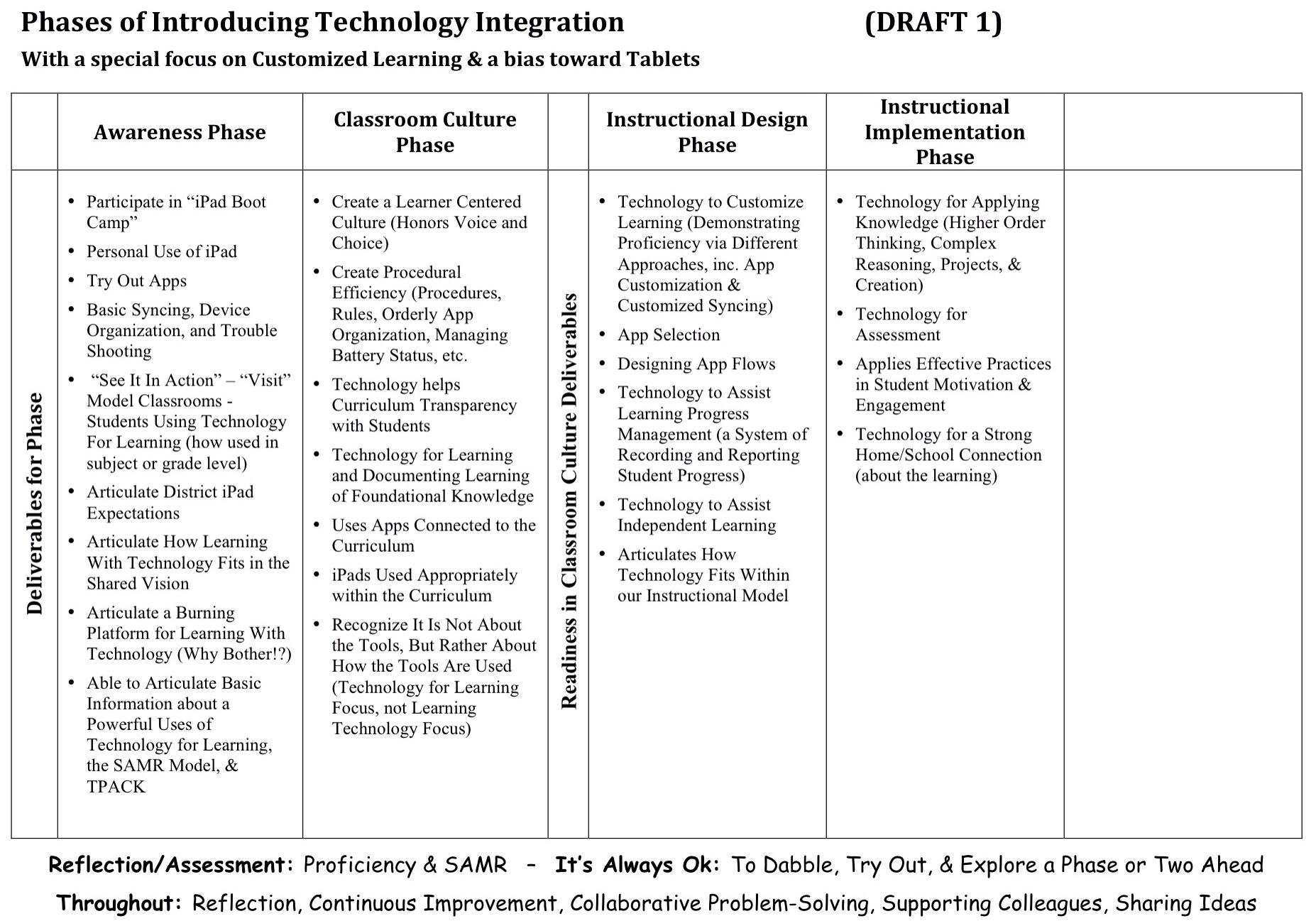
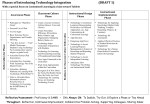
As part of the Distributed PD Project, a Auburn-and-friends work group developed a wpid-Photo-Jan-24-2014-601-PM.jpgdraft Phases of Tech integration document. It is a draft, but we want to live with it and use it for a while before working to revise and update it. (Practice provides better feedback for revision than theory!)

We wanted to think about developing teachers’ skills at leveraging iPads for teaching and learning beyond just googling topics and word processing. Beyond just projecting material. Beyond just thinking about getting good at various tools. Beyond just using apps connected to the curriculum.

We wanted to think about technology as a tool to help us customize learning. We wanted to focus more on pedagogical goals than technological goals. And we wanted to think about where technology could take us that we couldn’t easily go without technology.

So we set up our professional learning continuum, our phases of implementing technology integration, to be similar to our Phases of Implementing Customized Learning, and how such a structure helps support plementation and teachers. (Driver 1)

And we based it on our current thinking about powerful uses of technology for learning.(Driver 2)

And we tried to think about how the SAMR Model might inform our work. (Driver 3)

We’re Looking for a Wonderful Middle School Principal

Auburn Middle School

Are you looking to be the school leader of a terrific middle school, with a strong staff, who are working to implement innovative work around developmental responsiveness (see here and here), teaching and learning with technology, and customized learning? Would you like to be part of such a school that didn’t stand alone in its work, but was in a district doing strong innovative work in the same areas, and with strong, supportive leadership at the top? Do you know of another educator who would be interested in such a position?

Then please check out the Auburn Middle School Principal job posting on School Spring (use 809452 as the Job ID).

But move quickly. We are already reviewing applicants and hope to start interviewing soon.

Frankly, we’d love to find another team member, who is enthusiastic about driving and leading meaningful school change through shared leadership, might have some experience in one or more of our three innovation areas and could come up to speed on the others quickly (they aren’t trivial initiatives!), and is just plain fun to work with!

Did I mention that you’d get to work with an innovative district, making exciting progress on implementing innovative programs to help all children learn at their peak, a district that actively supports and empowers its educators in their professional learning, leadership, and educational entrepreneurship?

Learn more about Auburn Middle School or Auburn School Department. And don’t hesitate to contact me, if you have questions about the position, the school, our work, or the district.

Please share this post with your network and help us find a terrific principal for our innovative school!


10 Professional Learning Curriculum Buckets for Teaching and Learning with Tech

(Note: This is cross posted at the Distributed PD Project, where Auburn School Department, and friends, are rethinking how we can provide training and support to teachers.)

As we think about our teachers becoming highly skilled at teaching and learning with iPads, we could certainly generate a very long list of skills, approaches, tools, apps, strategies, and other competences we'd like them to get good at.

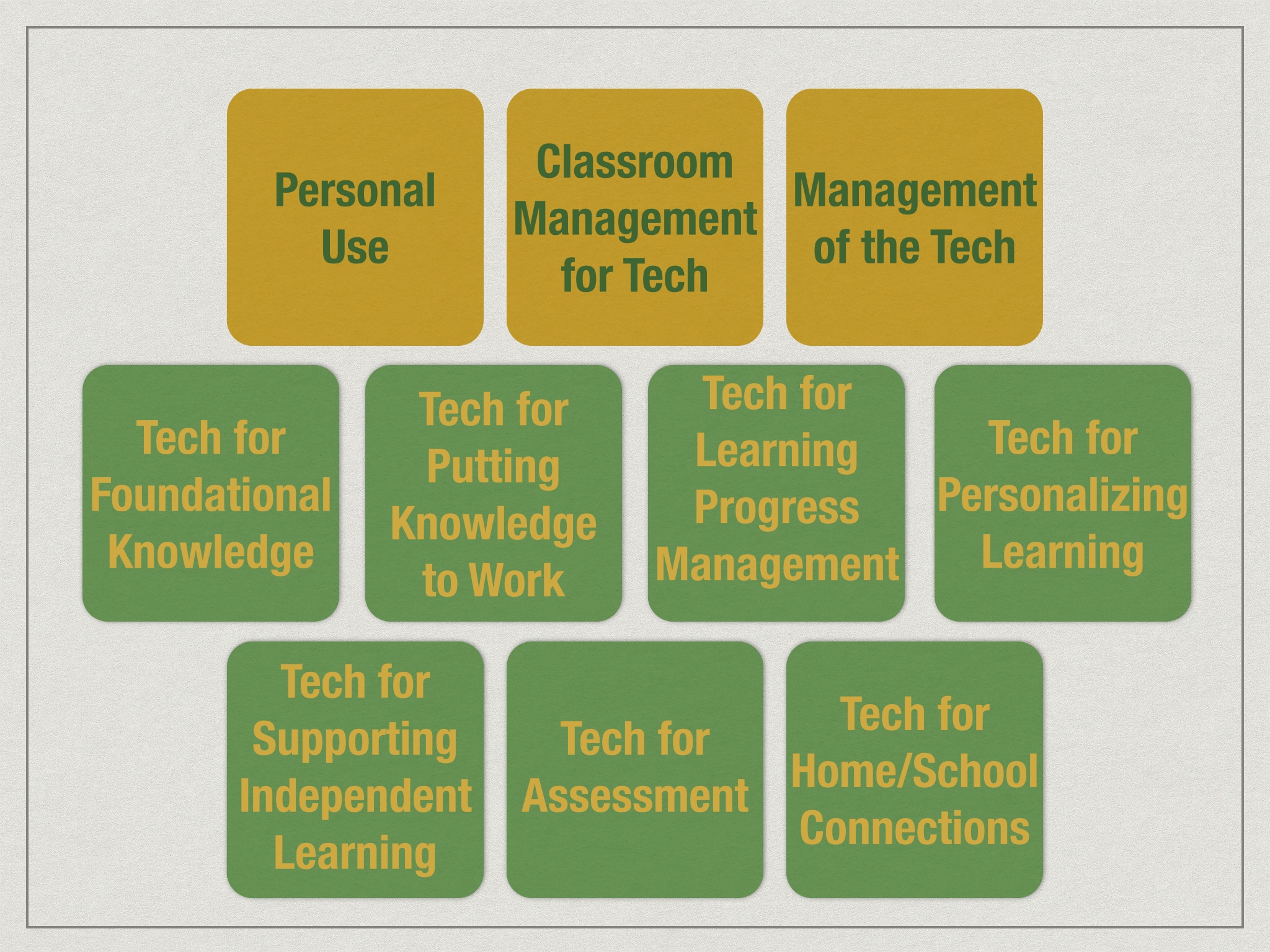
But if we consider how we might group that very long list into categories, I think we have 10 buckets that would make up our professional learning curriculum.

10 Curric Buckets

Three of those buckets focus on teachers' being able to use the technology themselves and create the conditions in the classroom for students to use the technology for learning.

  1. Personal Use: Can teachers use the device themselves as their own productivity and learning tool?
  2. Classroom Management for Tech: How can teachers insure that students are focused and on-task when using technology in the classroom?
  3. Managing the Tech: How do teachers organize the technology (or collaborate with students to organize the technology) so it works and is available to be used for learning in the classroom?

And 7 of those buckets are the pedagogical approaches that make up the 7 Powerful Uses of Technology (notice that they focus on educational goals, not technology tools):

  1. Tech for Foundational Knowledge: How can we help students learn the basics?
  2. Tech for Using Knowledge: How can we contextualize learning and make learning engaging and meaningful? How can students use their knowledge? What is the role for creating and creativity, and for project-based learning?
  3. Tech for Learning Progress Management: How do we keep track of student learning? Promote a transparent curriculum? Make learning progressions clear? Help students navigate their learning? Maintain evidence of mastery?
  4. Tech for Personalizing Learning: How does technology help us tailor the learning to the student?
  5. Tech for Supporting Independent Learning: How can technology help the student do more on their own and need the teacher less?
  6. Tech for Assessment: How can technology help us capture what students know and can do?
  7. Tech for Home/School Connection: How can technology help us stay better connected to parents?


Does Technology Improve Learning – No! A Keynote

I recently had the honor of keynoting at the Illinois Computing Educators (ICE) conference.

My message was that technology alone will not improve learning; only teachers improve learning. But technology can be wonderful tool for teachers and for students under the guidance of teachers.

Watch the keynote here. And related resources are down below.


If we want to leverage technology well for learning, then these are the components we should attention to:

  • Focus on Learning
  • Deliberate, Shared Leadership
  • Community Engagement
  • How You REALLY Protect Stuff
  • Support the Heck Out of Folks

Resources

Technology:

Learning:

Leadership:

Community Engagement:

Supporting Educators (Professional Development):


A Child Struggles in School: Where Does the Problem Lie?

In a conversation recently with a caring, conscientious teacher, she commented that she had success working with struggling learners and helping to make them feel smart.

But when they got to the next grade and perhaps had a teacher that wasn't as effective at reaching those children, or perhaps thought there was a pace for learning and students should stick to it, or perhaps simply saw the onus for learning as being on the student, the students really struggled again.

She worried that perhaps she had led those students to have an unrealistic view of themselves by not being more up front with them about being struggling learners. She wondered, despite her success helping those students to learn, to feel successful, and to feel smart, if she shouldn't be more direct with them about being struggling learners, to prepare them for possible pain and disappointment later.

And I caught myself wondering, is the problem that each child isn't where the school is in the curriculum?

Or is the problem that the school isn't where the child is in the curriculum?


We Must Invest in Our Early Learners

Throughout my career as an educator, most of the initiatives, opportunities, and concerns about public education seem to have focused on the upper grades, on high school.

And yet, if we want the biggest bang for our buck, the largest return on investment, it is the opposite end of the spectrum we should be focusing on. We need to be putting our education dollars behind pre-school and early childhood education.

And business owners know its true! Watch this video from the Maine Early Learning Investment Group (MELIG):

Three of the MELIG's key members are retired high ranking military officers: retired U.S. Army Maj. Gen. Earl Adams, retired Air Force Brig. Gen. Ralph Leonard, and retired Army Brig. Gen. Robert Carmichael.

MELIG also commissioned UMaine Economics Professor Philip Trostel’s Independent Cost-Benefit Analysis of Early Childhood Investments in Maine. The summary of the independent analysis suggests that costs for early childhood education programs would be recovered by the time a student was 14, and over the life of the child and into adulthood would continue to offer a 7.5% return on investment.


iPads, Digital Badges, and Professional Development – Our New Project

Auburn Schools is starting a new project: the Distributed PD Project, working to support teachers leveraging iPads for teaching and learning. The project includes establishing a professional learning curriculum, modules to delver that curriculum and Digital Badges to acknowledge and document learning.

This video provides an overview:

What Can Scouting Teach Us About Proficiency-Based Learning

Scouting does pretty good work with curriculum.

I think our Customized Learning work (both for kids and the professional learning for educators) shares many characteristics with theirs: learning is customized; individuals progress at their own pace; they progress by demonstrating proficiency; learners have lots of voice and choice simultaneously with clear guidelines and expectations; learning is chunked into modules, instead of large all-encompassing courses; proficiency requires a mix of knowing and doing and applying/creating; responsibility for the teaching & learning is distributed; etc.

Auburn has a Distributed PD System Design project going on right now. They (we) just posted two activities that might help others think about curriculum organization and managing learning in a proficiency-based system:


Is Our Phases of iPad Integration Ready?

(Note: Cross posted to the Distribute PD Project)

Last August, one of our Auburn-and-friends work groups developed a draft Phases of Tech integration.

Draft Phases of iPad Integration

We wanted to think about developing teachers’ skills at leveraging iPads for teaching and learning beyond just googling topics and word processing. Beyond just projecting material. Beyond just thinking about getting good at various tools. Beyond just using apps connected to the curriculum.

We wanted to think about technology as a tool to help us customize learning. We wanted to focus more on pedagogical goals than technological goals. And we wanted to think about where technology could take us that we couldn’t easily go without technology.

So we set up our professional learning continuum, our phases of implementing technology integration, to be similar to our Phases of Implementing Customized Learning, and how such a structure helps support plementation and teachers. (Driver 1)

And we based it on our current thinking about powerful uses of technology for learning. (Driver 2)

And we tried to think about how the SAMR Model might inform our work. (Driver 3)

Now, we don’t believe any of our work is permanent. We know that as we get better at what we do, we’ll figure out how to improve our models. After we use this Phases of Technology document for a while, it will be ready for a revision.

But right now, we’re wondering if our draft is developed enough to be the one we live with for 12-18 months before we revise it again…

So, as you look at our draft,

  • Does the document adequately reflect our three drivers?
  • Does the sequence of the phases seem right? Does the progression make sense?
  • Does each phase seem to have the right elements for demonstrating mastery and moving on to the next phase? Does it adequately outline advancement (recognizing there will be plenty of support documents)?
  • Is anything missing? What should be added?
  • What needs to be edited or revised?
  • How do we make it better before living with it for a while?

We don’t need “perfect.” We’ll learn a lot by living with the model for a while. But we want to kick the tires on this version a little, and insure it is “good enough” to live with for a while.

So, what do you think?


Starting to Design a Distributed PD System

A while back, I described our need for a distributed system of professional development (as part of our comprehensive plan to support professional learning, including: workshops and trainings; coaching and formative feedback; educator lesson invention and tryouts; and opportunities for educators to get together to share successes and trouble shoot challenges).

So, we've put together a work group to start designing. We will focus first on building a system that will support educators learning to better integrate iPads into teaching and learning. Frankly, we could use the same kind of distributed PD system for our Customized Learning work, as well, but we'll work out the bugs on our iPad work first.

We have 1to1 iPads in K-2 and 7-12, and various clusters of iPads in between. Our work group has K-12 representation. But we know others are interested in this work and we often partner with folks from other districts, and several are participating in the workgroup. We love it when others come to play with us!

Distributed PD Website

And, if you're interested, there is an opportunity for you to lurk, or even participate.

We have created a Distributed PD website to help organize our work. We have pages for each key component of the design work and the Updates & Activities is our blog where we'll regularly publish (yes) activities and updates.

So if you want to lurk, check back at the site periodically to see what we've been up to (and I'll occasionally cross post or post updates to this blog, too).

If you want to participate, you can leverage the comments section of any of our posts or pages.

And if you're REALLY interested in rolling up your selves and being part of the work group, shoot me an email.


MLK, Poverty, Schools, and the War Against the Poor

Today is Martin Luther King Day.

As much as we remember Dr. King’s civil rights efforts for African Americans, he was above all else a civil rights activist. A civil rights activist for all. In fact, he was in Memphis at the end, working to improve wages for garbage workers. All garbage workers, not just African American garbage workers. If there was a category of people he worked the hardest for, that category wasn’t a race. It was poverty.

And 5 decades later, the civil rights movement has widened its efforts, most recently working to insure that gay and lesbian people are treated simply as people, with all the rights of people.

But I worry we have forgotten about poverty. Or worse, that we have substituted “the war against the poor” for “the war against poverty.”

We have made poverty a scapegoat. By blaming people of poverty for their own lack of resources, we are seeing a trend toward cutting social services and programs, all while increasing support to government contractors, corporate bailouts, and tax breaks for the rich. In a country many claim to be Christian, I can think of few things less Christian.

Even if the motivation is not greed, but rather simply recognizing that programs for the poor are expensive, I would reply with a corollary to one of my favorite expressions about education, “If you think programs for the economically disadvantaged are expensive, you should try not having them!” What is the impact on society, on the economy, and on employers of not having supports in place?

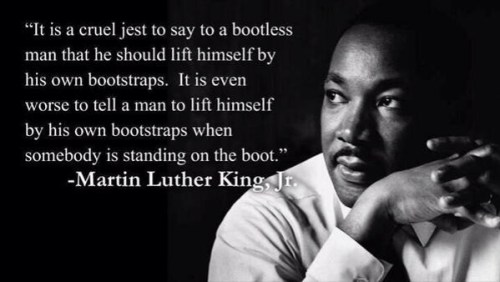
Did I hear you suggest that the poor need to take responsibility for themselves and for providing for their families (as some of Nicholas Kristof’s readers do in his editorial, “Where is the Love?“)? One of my favorite Dr. King quotes is “It’s all right to tell a man to lift himself by his own bootstraps, but it is cruel jest to say to a bootless man that he ought to lift himself by his own bootstraps.”

Dr. King Bootstrap quote

Perhaps nowhere is the war against the poor stronger that in public education. (Or maybe I just notice it more because schools are where I try to do my social justice work.)

We have known – at least since I was in my teacher preparation program in college (and my slate tablet tells me that was a VERY long time ago) – that the strongest correlate to standardized test scores was the socioeconomic status (SES) of the students. Almost no factor came close to SES. Not the curriculum. Not the educational program. Not the qualifications of the teachers. Not time on task. Not attendance rates. Not high expectations. Certainly not the level of threats of punishments and consequences for schools and teachers not raising their test scores. Just SES. Just poverty.

And yet, politicians are cutting funding to education programs that make a difference.

They are cutting early childhood funding to things like Pre-K, and Head Start, despite the evidence that each $1 spent on early childhood education returns $16 later.

They are creating school report card systems designed to “prove” our schools are failing. (Sorry, when you set the report card system up not with criteria for passing or failing, but rather to insure x% are “A” schools and y% are “F” schools – regardless of performance! – then run around proclaiming schools are failing and the school report cards prove it, you have constructed a lie to propagate a lie.) Surprise, surprise! Researchers at the University of Southern Maine found that Maine schools with higher poverty levels have lower student performance, that although poverty doesn’t explain everything, it was the single best predictor of student performance, and that SES was the strongest correlate to school report card grade.

And politicians are using the cry of school failure to shift public dollars to private schools and corporate run “public” charter schools. And where “school choice” makes good rhetoric, it ignores the fact that the poor don’t have the mobility and transportation resources to take advantage of school choice.

And politicians have set up school improvement grants so that a major evaluative component of your proposal is actually showing that your test scores are already on target (I thought the schools with struggling test scores needed the support to improve…?). And if test scores are strongly correlated to poverty, how do schools with the largest populations of low SES students ever get those supports? I guess politicians are only interested in supporting the race for those who are already at the top.

And yet, more than a 150 years ago, this country made a compact with its citizens to educate all the children of all the people.

So if we really want to address achievement and test scores (I mean, if we are serious about doing that and aren’t simply using it as an excuse to shift public dollars to private entities), or even if we simply want our schools to prepare all students to become contributing citizens, then we have to forget about the war on the poor and return to the war on poverty.

Thanks Dr. King. Thinking of you this morning.

Multiple Pathways Blog: Top 5 Posts From 2013 and the 5 Most Popular Posts

Top 5 Multiple Pathways posts written in 2013:

#5 – The Series on the New MLTI: Choice, Auburn, and Learning – This year, Maine's 13-year-old learning with “laptop” initiative offered schools a choice of devices. This series describes the change in approach to the state initiative, why Auburn chose iPads, and what we still hope to get from our technology, despite the changes.

#4 – The Phases of Implementing Customized Learning: The SeriesOne lesson our district has learned from working with other districts further along with implementing Customized Learning is “not all at once!”

#3 – Life-Long Habits of Mind: Curriculum for Customized Learning – Districts in the Customized Learning Consortium have expanded their curriculum model beyond simply content knowledge. Life-Long Habits of Mind is the third domain of our curriculum model.

#2 – We Need Keyboards With Our iPads. Not! – While some believe that schools should buy keyboards to make iPads useful, lessons from experienced iPad schools suggest the opposite.

#1 – How Does Auburn Select Apps? – Ever since we started Advantage 2014, our primary grades 1to1 iPads initiative, we’ve had educators and parents ask us what apps we’re using.


The 5 Most Popular Multiple Pathways posts in 2013:

#1 – What Makes for Good Learning Experiences?

#2 – 10 Key Components of Customized Learning

#3 – Tone of Voice Matters (In Surprising Ways)

#4 – Motivating Students: Focus on 5 Strategies

#5 – Student Motivation: What Level of Engagement Are Your Students At?


Another View on iPad Keyboards

Note: This is a guest post by Auburn Middle School (AMS) Technology Integrator, Carl Bucciantini. The article originally appeared in the Dec. 2013 Issue of the Auburn Middle School Newsletter.

Over the past few days I’ve received several phone calls from parents wondering what kind of keyboard to purchase for their children. While there are lots of options available, I find myself wondering if a keyboard really necessary and what is the driving force behind the “need” to have one?” I think decisions such as these are often made based upon perception or personal experience. Further, as adults I think we assume that our children can’t possibly “type” as well using a touch pad as they could on a keyboard, partly because of our own challenges with touchpads.

This controversy has been swirling around for a long time, so I recently posed the keyboard vs. touchpad question to Dr. Ruben Puentedura, a consultant to the MLTI project since its inception, asking if he is aware of any research which indicates that one is better than the other. Here’s what he’s found:

The research to date is pretty clear-cut: there is little to no significant difference between using a physical keyboard and a virtual keyboard, particularly as users become more experienced in the use of the iPad. Here are some relevant recent references:

Brady Cline did a nice small-scale study with students in grades 3-6, which showed no significant benefit to using the physical keyboard.

Some people criticized that study, saying that none of the students were particularly fast typists. So, it's worthwhile seeing how well an adult who is a reasonably experienced typist performs with the iPad. A 2010 study by Chaparro et al. (when the iPad had just been introduced) showed that people who had never typed on an iPad performed at around 45 words per minute (wpm) right off the bat. The same people typed about 15wpm faster on a netbook keyboard – but they had a higher error rate on the physical keyboard, and overall reported higher typing satisfaction on the iPad. A 2013 followup study by Chaparro et al., this time using a dedicated external keyboard on the Microsoft Surface, confirmed these results.

Needless to say, practice improves iPad keyboarding speeds. I don't know of any study that has final numbers on improvement, but light regular use is reported to get you to about 54wpm, and there are multiple videos on YouTube and elsewhere of people typing 60wpm to over 100wpm on an iPad without breaking a sweat.

One of the major advantages to using the iPad is that it’s so easy to use it on the go. Dr. Puentedura continues:

There are some very interesting studies coming out on using the iPad “on the go” (Trudeau et al., 2013), where using a regular keyboard is difficult or impossible. As you might expect, typing speed goes down in these scenarios (to about 23wpm on a split keyboard layout, 25wpm on a regular layout), but the split keyboard layout (mostly thumb typing) was found to be considerably more comfortable. Given that in these scenarios the physical keyboard performs at about 0wpm, I would consider those numbers quite respectable.

My personal belief is that whether they use a touchpad or a more traditional keyboard, kids have an uncanny ability to adapt. My advice is if you’re looking at purchasing a keyboard, ask your child why they think they need one, how it will make things better for them and suggest that they borrow one from the AMS library for a week or two to try it out.


How Will We Use Our Technology? – 7 Powerful Uses

Whether you have technology for your students, or you are thinking about getting technology for your students, “How will we, or should we, use our technology?” is an important question.

The answers to that question need to come from what we know about learning, more than what we know about technology. Recently, I have written about how we should focus on learning when we try to answer this question; that we should think about how technology has changed how students learn outside of school; and if we are having problems with our technology, that it might be that our vision for learning is lacking.

And I think it is important to articulate how we would like technology to be used in our classrooms partly because personal technology skill is not the same as teaching with technology skill. Because a teacher can use an iPad herself doesn't mean that she knows how to leverage that same iPad for student learning. Articulating how we might expect teachers to use those devices helps provide teachers targets for their own professional learning.

We are currently working with the idea that there are 7 powerful uses of technology:

  1. Tech for Foundational Knowledge: How can we help students learn the basics?
  2. Tech for Using Knowledge: How can we contextualize learning and make learning engaging and meaningful? How can students use their knowledge? What is the role for creating and creativity, and for project-based learning?
  3. Tech for Learning Progress Management: How do we keep track of student learning? Promote a transparent curriculum? Make learning progressions clear? Help students navigate their learning? Maintain evidence of mastery?
  4. Tech for Personalizing Learning: How does technology help us tailor the learning to the student?
  5. Tech for Supporting Independent Learning: How can technology help the student do more on their own and need the teacher less?
  6. Tech for Assessment: How can technology help us capture what students know and can do?
  7. Tech for Home/School Connection: How can technology help us stay better connected to parents?

Again, note the pedagogical focus, not a technology focus. In other words, the technology isn't the end or the desired outcome, rather the technology is in service to desirable educational outcomes.

How are you leveraging technology for each of these 7 uses?