Our 8 Messages to the State Board of Education

State Board of Ed visits an Auburn Classroom

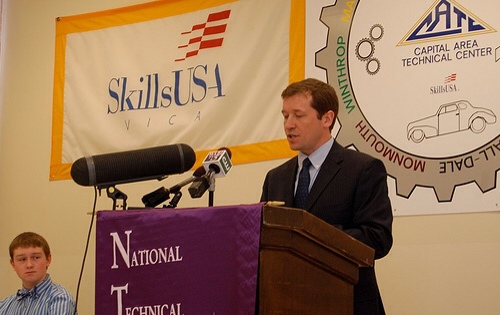
On May 9th, the State Board of Education had their meeting in Auburn (press coverage in the SunJournal and at WCSH6). The Board often has their regular meeting at a school, spending the morning in a workshop and the afternoon in their business meeting. They came to Auburn School Department because they wanted to learn more about teaching and learning with technology.

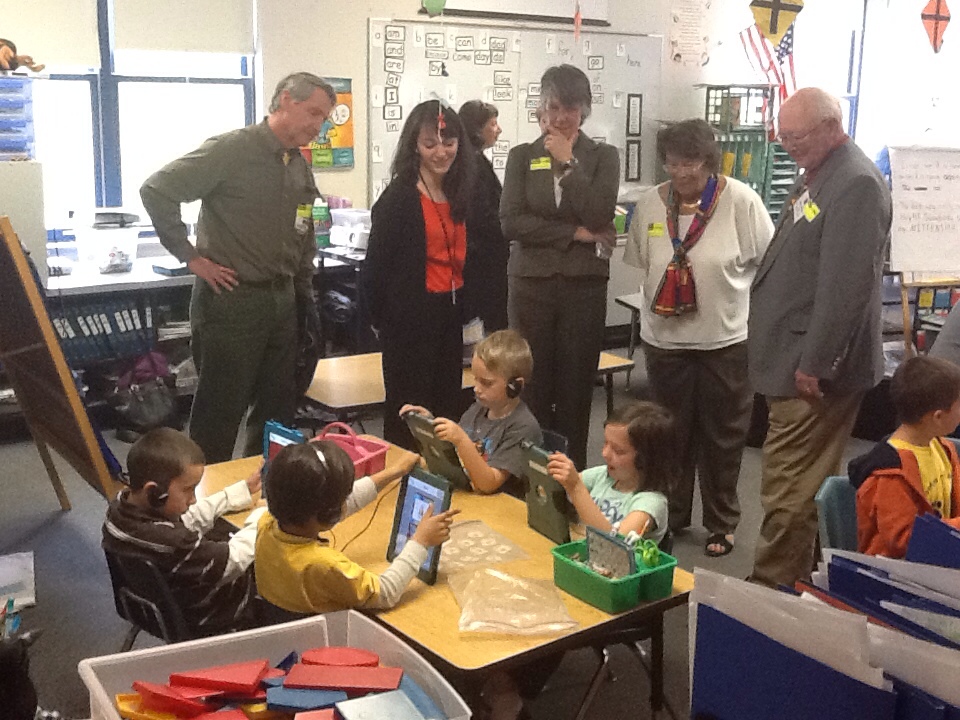
We used the morning workshop to have them visit technology-using classrooms at our middle school, high school, and one of our elementary schools, then return to Auburn Middle School for a debrief and lunch with some of our students.

What did we want the Board to learn about teaching and learning with technology? Here are our 8 messages to the Board:

1) Technology is About Learning
Technology isn’t “cool gadgets” or a content area. Technology is a teaching and learning tool, and decisions need to be based on questions such as, “How does this impact the quality of learning opportunities in the classroom?” and “How can we leverage technology to help students learn in ways that they couldn’t without?”

2) Technology For Learning Takes Deliberate Leadership
Good teaching and learning with technology doesn’t happen on its own. It doesn’t happen just by giving teachers laptops or tablets. It takes deliberate leadership, leadership that is a team focus on positive pressure and support, teacher practice, funding, partnerships, resource management, branding and buzz, and PD for paradigm shift.

3) Technology is No Luxury; It Is The Modern Learning Tool
Some view technology as a luxury schools can’t afford. And yet technology is prevalent in nearly every sector and part of life outside of school. If we want students to think school is relevant to their lives, then we need to use tools for learning that they see in use outside of school.

4) Effective Technology Use in Schools is All About Having Great Teachers
Technology is just a tool. It doesn’t replace teachers. In fact, using technology well takes a good teacher. We won’t ever improve learning by simply handing technology to students. But when a good teacher hands technology to students with a good activity, then learning can soar.

5) Teachers Need Support
Very few of our teachers grew up as students in classrooms where technology was a teaching and learning tool. It is unfair to expect teachers to implement technology well if they have not experienced it’s use as a learning tool themselves. We need to provide lots of support to teachers so they can get good at teaching and learning with technology. That support needs to include identifying models of effective use, classroom visits, trainings that model effective use, access to resources, a safe environment to try new things (and maybe fail), and a little professional hand holding.

6) Teachers Need to Focus on Student Engagement
Whether we have technology available in the classroom or not, teachers need to compete for student attention more than ever before. Students have access to much more information outside of school than when we were students. If teachers are to remain effective and schools are to remain relevant to students, then we need to focus on engaging students, keeping things interesting, and making learning meaningful.
7) Even Young Students Learn With Technology
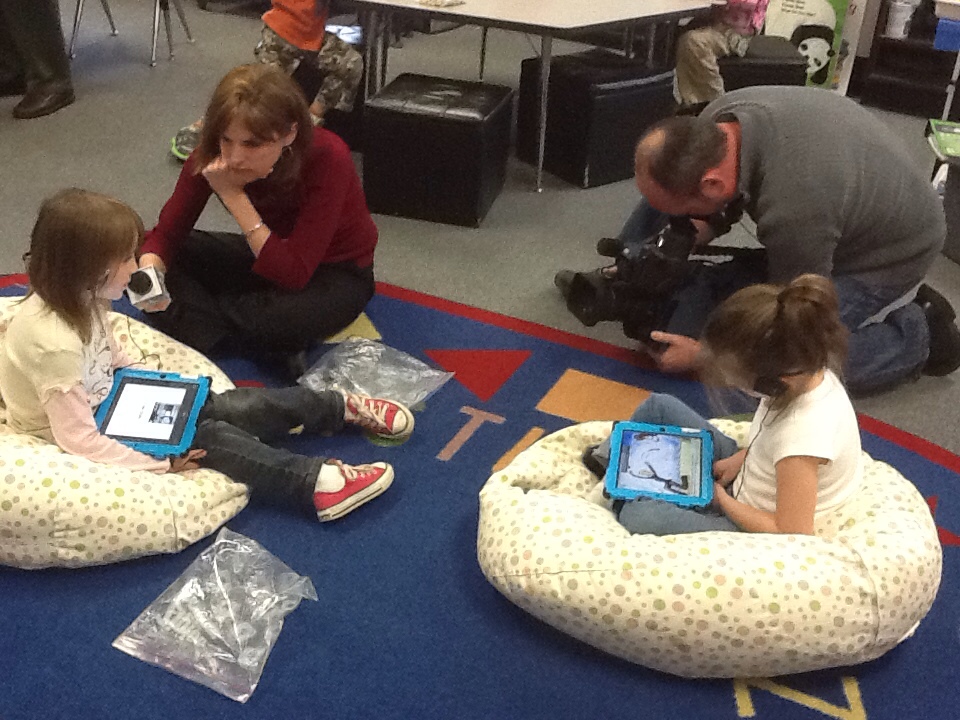
Young children are adept at using technology, and there are many great technology-based apps and resources available for a quality early learning or primary grades program.

8) It’s About Blalance
Schools known for effective technology rich environments are good at identifying the right learning tool for the learning target. And even though they use technology widely, they would never use technology exclusively. Students still have teachers, read books, create art, play outside, write with pencil and paper, toss a ball, etc.
 

Should Kindergarteners Use iPads in the Classroom? Absolutely!

This week, Government Technology posted the article, “Should Kindergarteners Use iPads in the Classroom?

It looked like the article had found year-old news of our starting our iPad initiative, thinking it was current, and raised the question if this were appropriate.

I was fine up to the point that readers started posting “black and white”/”all or nothing” comments…

I have submitted this comment:

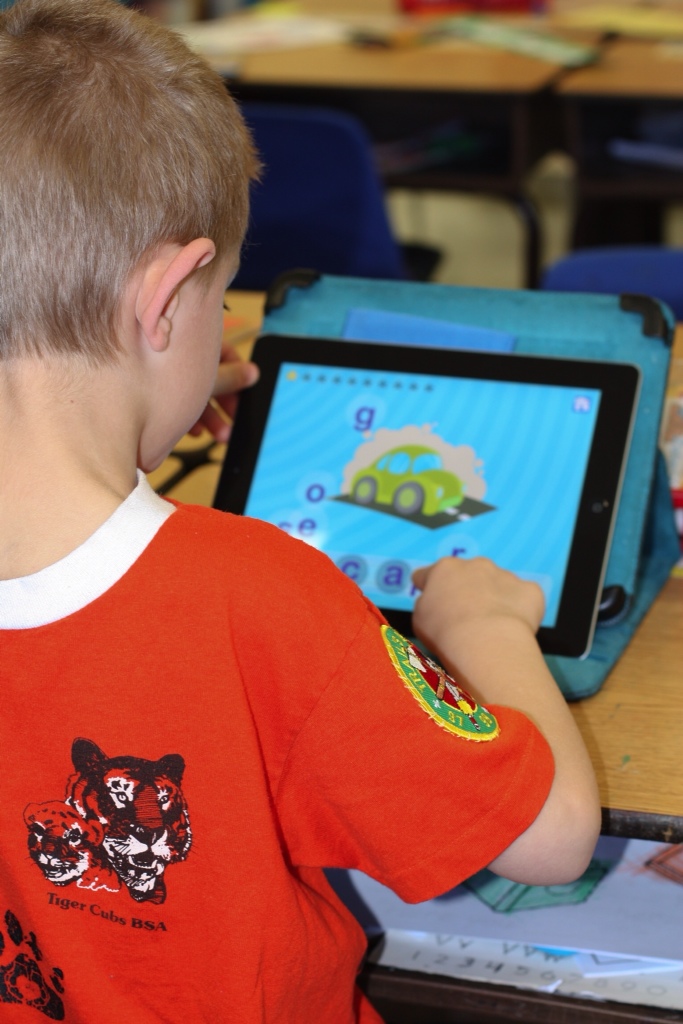
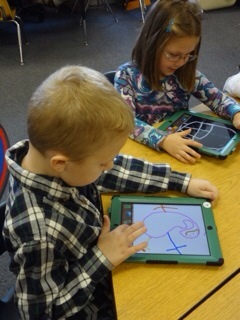
I’m with Auburn Schools, and it was actually last April that we decided to move ahead with a literacy and math initiative that included 1to1 iPads in Kindergarten. We’re a year into the program and are finding that student engagement is up, teachers find that they are getting to reading groups earlier in the year than in the past, and that it is easier to customize learning for students. We even did a randomized control trial on the pilot which found a statistically significant improvement in the iPad classrooms.

But it is all about the right tool at the right time. We still teach handwriting with pencil and paper, students still play and pretend and read books and work with teachers (all things that some people thought we had plans of stopping once students had iPads – for what reason, I can’t even imagine).

But now that we have actually done it, we entusiastically say yes, iPads do belong in kindergarten.

We’re on track to add 1st Grade iPads for this coming year.

It’s a Matter of Using the Right Prompt: The Words of Gary Stager

This week, both Gary Stager and I were featured speakers at the Association for Independent Maryland and DC Schools’ (AIMS) technology conference.

Gary is an old friend and colleague, who has a long history of working with 1to1 learning with laptop schools (including the very first, in Australia) and with other schools interested in leveraging technology for learning and in constructivist learning. He clearly loves children and everything he advocates for schools is based on creating better experiences (especially learning experiences) for children. He is provocative and takes on a lot of populist education ideas with a very common sense approach. He always leaves his audience thinking.

What follows are some of the ideas and quotes Gary shared in his sessions at the AIMS conference.

  • The secret to engaging students is using the right prompts. A good prompt is worth a 1000 words – a good prompt, challenge, problem, or motivation; appropriate materials; sufficient time; supportive culture (including expertise) – kids can do works that is beyond them. Good prompts require a really different educational environment, one that values the kinds of things that Reggio Amelia values.
  • Gary has several articles on effective PBL on his “virtual handout.” (among other great resources)
  • We have to think less about teaching how to do computers, or about working at someone else’s pace. We need to stop teaching secretarial skills. We need good prompts. We need to teach students to use the computer to create what they want to create.
  • Alan Kay – the computer is simply an instrument whose music is ideas.
  • Gary’s only rule when he is working with students – you have to be doing something.
  • Teacher as “Ringmaster”
  • “Students will do it for themselves, when it matters to them, but not when it is arbitrary or coercive” – Gary Stager
  • Less us, more them
  • Gary likes it when schools/classrooms focus their work with children by asking the question, “What are the 5 big ideas of your grade level or course?”
  • Some of Gary’s recipe for being successful with students: Being sensitive to the passions, talents, and styles of kids. Being receptive to the learning differences of kids. If you are doing active learning activities, then you can get to know kids.
  • The best decisions about education are made closest to the child.
  • What if we simply reduced it all to waking up every morning and asking, “How do we make this the best 7 hours possible for these children?”
  • The biggest problem we have in school is we don’t get to know the kids and everything is taught disconnected from everything else. That’s followed by not trying to make things interesting for students, not finding out what is of interest or a passion to the students, not having resources, not letting students do things.
  • Gary on why teachers need lots of PD that puts them in different learning environments as learners: People can’t choose from what they haven’t experienced

Introduction to Twitter for Educators: 12 Resources & Strategies

The irony is that at the same time my district has banned Facebook and has a team working on a social media policy, our administrators are learning how to use Twitter for both Branding and Buzz and their own professional development.

(Well, maybe it isn’t irony. I think maybe it is exactly the Yin and Yang of social media that has schools confused about what to do with it. On one hand social media seems to lead to distraction and bullying. On the other hand, it is a powerful marketing tool and tool for building a professional learning community.)

Auburn’s administrative team will soon get a brief Introduction to Twitter inservice. These are the resources I will be sharing with them.

What other resources would you share? (please add your suggestions in the comments)


Getting Started with Twitter:


Leveraging Twitter as Your Professional Learning Community:


Leveraging Twitter for Building Branding and Buzz Around Your School:


Leveraging Twitter for Teaching and Learning


Harassment & Engagement – Social Media Study Group

Note: This is one in a series of blog posts to be used by Auburn’s Social Media Design Team to conduct a study group before making recommendations for social media policy. If unfamiliar with this series, you might find reading this post helpful.

Core Issues Study Questions (Bullying & Boredom)

  • What are Auburn schools current doing related to bullying and school climate?
  • What are Auburn schools current doing related to fostering student engagement in academics?
  • What is considered best practice around bullying?
  • What is considered best practice around engaging students?

Although intended as a tool for Auburn’s Social Media Design Team, everyone is invited to use these posts as a resource. And if you are not a member of Auburn’s Social Media Design Team, you are welcome to post comments, too. But please limit/be thoughtful of the sharing of opinion and stay focused on the focus questions – we a trying to use these posts for fact-finding, identifying resources, identifying best practice, etc. Thanks!


Supervision – Social Media Study Group

Note: This is one in a series of blog posts to be used by Auburn’s Social Media Design Team to conduct a study group before making recommendations for social media policy. If unfamiliar with this series, you might find reading this post helpful.

Supervision Study Questions

  • What are Auburn schools current doing related to supervision when students are using technology?
  • What are manual and technical approaches to supervision and setting limits?
  • What is considered best practice around supervision of technology use?


Although intended as a tool for Auburn’s Social Media Design Team, everyone is invited to use these posts as a resource. And if you are not a member of Auburn’s Social Media Design Team, you are welcome to post comments, too. But please limit/be thoughtful of the sharing of opinion and stay focused on the focus questions – we a trying to use these posts for fact-finding, identifying resources, identifying best practice, etc. Thanks!


Educating for Appropriate Use – Social Media Study Group

Note: This is one in a series of blog posts to be used by Auburn’s Social Media Design Team to conduct a study group before making recommendations for social media policy. If unfamiliar with this series, you might find reading this post helpful.

Education for Digital Citizenship Study Questions

  • What are Auburn schools current doing related to Digital Citizenship (both for students and adults)?
  • What is considered best practice around teaching digital citizenship?

Although intended as a tool for Auburn’s Social Media Design Team, everyone is invited to use these posts as a resource. And if you are not a member of Auburn’s Social Media Design Team, you are welcome to post comments, too. But please limit/be thoughtful of the sharing of opinion and stay focused on the focus questions – we a trying to use these posts for fact-finding, identifying resources, identifying best practice, etc. Thanks!


Impact of Social Media – Social Media Study Group

Note: This is one in a series of blog posts to be used by Auburn’s Social Media Design Team to conduct a study group before making recommendations for social media policy. If unfamiliar with this series, you might find reading this post helpful.

Impact of Social Media Study Questions

  • How many social media-related discipline issues have been logged?
  • Of the logged social media-related discipline issues, what percent were about being distracted, what percent were about bullying, and what percent were about something else (and what was that)?
  • What are the reasons we would not want access to social media at school?
  • What are the reasons we would want social media at school?

Although intended as a tool for Auburn’s Social Media Design Team, everyone is invited to use these posts as a resource. And if you are not a member of Auburn’s Social Media Design Team, you are welcome to post comments, too. But please limit/be thoughtful of the sharing of opinion and stay focused on the focus questions – we a trying to use these posts for fact-finding, identifying resources, identifying best practice, etc. Thanks!


Banning & Blocking – Social Media Study Group

Note: This is one in a series of blog posts to be used by Auburn’s Social Media Design Team to conduct a study group before making recommendations for social media policy. If unfamiliar with this series, you might find reading this post helpful.

Banning/Filtering Study Questions

  • What is the impact of blocking Facebook?
  • What methods of blocking are available to us and what are the untended consequences of each?
  • How easy is it to circumvent any filtering?
  • What is considered best practice around filtering?


Although intended as a tool for Auburn’s Social Media Design Team, everyone is invited to use these posts as a resource. And if you are not a member of Auburn’s Social Media Design Team, you are welcome to post comments, too. But please limit/be thoughtful of the sharing of opinion and stay focused on the focus questions – we a trying to use these posts for fact-finding, identifying resources, identifying best practice, etc. Thanks!


Auburn’s Social Media Design Team

Auburn has long had a pretty progressive social media policy. We didn’t block Facebook or Twitter, even thought nearly all the districts around us do. As you can imagine, it was pretty controversial, but it was based on the idea that effective communication through social media has become a job skill, that there are appropriate (even academic) uses for social media, and that we needed to teach young people appropriate use.

So, if leaving social media open was half of the approach, we certainly were struggling with the other half: teaching staff how to teach with it, figuring out how to integrate digital citizenship training, etc., etc.

Then, over the last 6 weeks or so, we had a couple high impact instances of bullying. Facebook was involved with both. One big one was student to student, but we also had one student to teacher.

It was time to do something.

So we blocked Facebook.

But the real problem is bullying, not Facebook.

So we put together a K-12 Social Media Design Team that will work as a study group, explore specific questions, do some fact finding, check in with parents, students, and educators for their perspective, and then make recommendations for social media policy.

So Facebook will remain blocked for now. But we’re going to collaborate toward a much more reasoned response.

We’re building our work around the lessons learned by veteran technology-using educators. When technology is viewed as a problem, blocking and banning (by itself) is usually not the answer. The answer usually is a combination four strategies:

The next couple blog posts (linked above) are going to be for the Social Media Design Team. We’re going to use them as a tool for collecting our evidence and resources. They will add these resources, ideas, data, etc., as comments to the posts.

Everyone is invited to use these posts as a resource. And if you are not a member of Auburn’s Social Media Design Team, you are welcome to post comments, too. But please limit/be thoughtful of the sharing of opinion and stay focused on the focus questions – we a trying to use these posts for fact-finding, identifying resources, identifying best practice, etc. Thanks!


18 Reasons We Need More Psychology (And Less Logic) In Our Education Thinking

Few systems are as complex as education.

I’ve been thinking a lot about education lately, I’m in the school change business, especially as it relates to creating schools that work for all children. Over the last years, my work has focused on designing schools that work for all students, programs for hard to teach students, and on technology-rich learning environments, especially 1to1 learning with laptop and ipad initiatives (these all usually overlap considerably when each is done well). And I especially wonder how it is that competent educators (good people) make decisions and policies that seem to not work very well.

From my perspective, a decision or policy works if it supports the working of the system. You can tell if it doesn’t work if the system is still upset or in some level of tourmoil.

I’m not sure I can explain this like I want to, but I guess I should say here that when I say “system,” I don’t mean the “education system” or “school system” (the policies that govern a district, school, classroom or other jurisdiction), but rather the system of learning. By my definition, if kids generally do their work, follow the rules, learn, and are engaged, then the system “works.” If kids are breaking rules, not learning, refusing to do their work, then the system doesn’t work. If a school has a high breakage rate on devices or they go missing, the the system isn’t working. When breakage and missing rates are negligible, then the system works.

So why do seemingly good policies not work?

I’ve come to the conclusion that problem lies with logic.

Good people use logic to make decisions. But education is a complex system based on people, not things. Therefore, we need to use psychology, not logic. By definition, logic makes sense in systems that focus on things or stuff. But it is psychology that makes sense in people systems.

So, from two decades of working with schools, including my own, around customized learning, or student motivation, or technology-rich learning environments, or leadership for school change (or, more often, all of these combined!), I’ve started to discern some of the “Logic vs. Psychology” problems schools have. In each case, the “logical” solution is certainly logical, but seems to have perpetuated (or even exasperated) the kinds of disruption or disequilibrium that the solution was trying to solve (it “didn’t work”), whereas the “psychological” solution seems to have had the desired effect.

So here are 18 reasons we should use more psychology and less logic:

  1. Logic says 1to1 is a technology initiative. Psychology says it is a learning initiative.
  2. Logic says students should learn (it is for their own good). Psychology says we must ask ourselves why students would want to learn.
  3. Logic says do workshops on how to use the various software on the laptops. Psychology says do workshops on how the software can be used to help students learn academic content.
  4. Logic says that a teacher must cover content. Psychology says that a teacher must connect with students personally.
  5. Logic says schools should ban disruptive technology (cell phones, mp3 players, blogs, chat, social networks, etc.). Psychology says if a tool is part of the child’s culture, then we should find academic uses for it.
  6. Logic says filter the Internet heavily. Psychology says filter some, but mostly educate students.
  7. Logic says use technology to do what teachers have always done, but more effectively. Psychology says use technology in new ways to engage students and help them learn.
  8. Logic says supplying the tools is enough. Psychology says apply some positive pressure and support to get teachers to use the technology effectively for academic purposes.
  9. Logic says breakage and theft is about the technology and the kids. Psychology says breakage and theft is about how the technology is being used for academics and the leadership around the technology initiative.
  10. Logic says tech folks need to protect the stuff. Psychology says tech folks need to enable engagement and the learning.
  11. Logic says a school is doing well if the easy to teach students are doing well. Psychology says that a school is doing well if the hard to teach students are doing well.
  12. Logic says give students information. Psychology says help students make meaning of information.
  13. Logic asks, did the teacher cover the material? Psychology asks, did the students learn it?
  14. Logic says that technology is a separate line item. Psychology says that all the expenses related to technology are integrated throughout the budget (infrastructure, instruction, staff, etc.).
  15. Logic asks, how smart are you? Psychology asks, how are you smart?
  16. Logic says teachers should speak to students with authority. Psychology says teachers should speak to students as people.
  17. Logic says a teacher can select which teaching styles they choose to employ. Psychology says that there are high-impact and low-impact pedagogies, and teachers should choose wisely.
  18. Logic says pass out laptops to teachers as soon as the school gets them. Psychology says pass out the laptops at an inservice where school leaders can set the tone on how they will be used in the classroom.

Let’s try to use a little less logic and a little more psychology.


Don’t Miss the Second Annual iPads in Primary Grades Institute

Auburn's Leveraging Learning Institute

Save The Date!

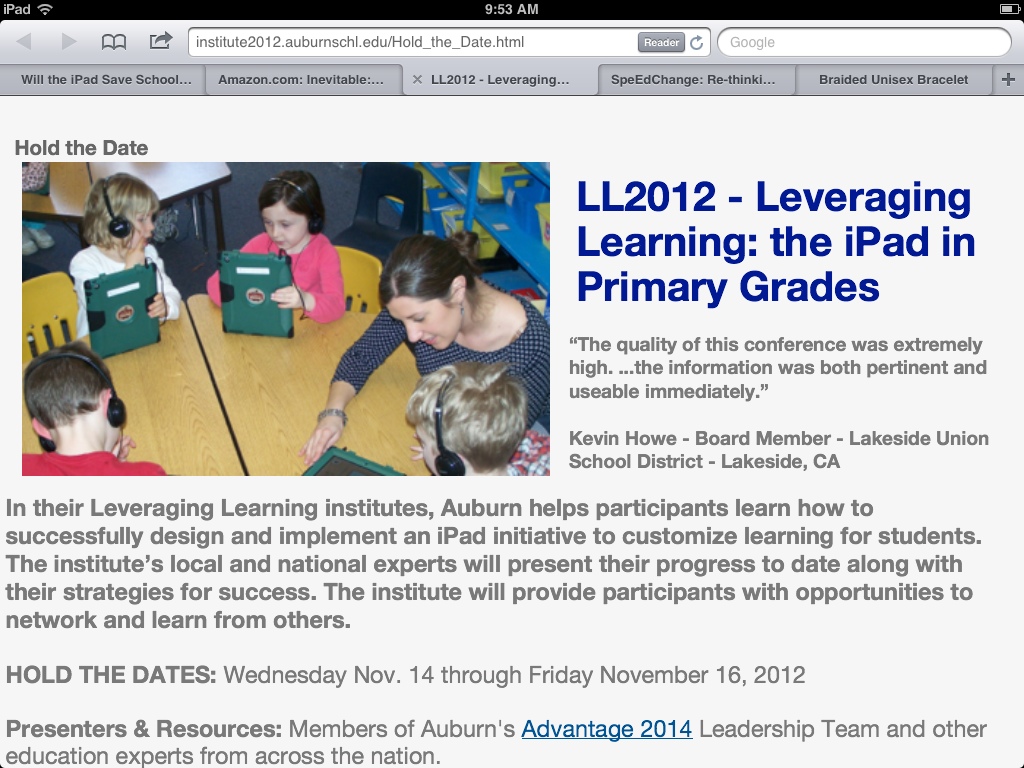
Auburn is hosting its second annual iPads in Primary Grades Institute on November 14-16, 2012.

This is a great opportunity to learn more about how Auburn is structuring their initiative and the key components to pay attention to for your own district’s initiative. Just look at what participants had to say last year:

  • “The quality of this conference was extremely high. …the information was both pertinent and useable immediately.” – Kevin Howe, Board Member, Lakeside Union School District, Lakeside, CA
  • “The emphasis on teams was great and I wish I had brought more team members. Next time!” – Jenni Voorhees, Academic Technology Coordinator, Sidwell Friends School, Washington, DC
  • “We were able to fine tune our current practice and more effectively strategize for the future using what we learned with you.” – Gretchen Schaefer, Early Childhood Instructor, Waynflete School, Portland, ME

Here are some of the great resources from last Year’s conference.

We’ll let you know when registration opens, but for now, hold the date! (but when the time comes, register early! There are only 115 slots!)


Will the iPad Save Schools? – The 4 Pillars of The Schools We Need

Student using an iPad

I’ve been interviewed a couple times over the last few weeks, mostly about our iPad research results.

One journalist asked me if I now thought that the iPad would be the secret to helping more students succeed in school.

I don’t think it is any secret that I am a big iPad fan, both personally and professionally. But I don’t think any piece of technology, by itself, will be responsible for creating the kinds of schools we need, if we are really going to develop the talent of every child. Technology can and should be a critical piece of that, and the iPad is a wonderful piece of technology for learning. But my experience working with schools that are striving to be successful with all students is that there are several key components to consider.

I told the journalist that I thought there were four pillars to the formula for successful schools.

Pillar 1: Customized Learning
Customized learning are the structures and practices that are built around two principles: people learn in different ways and in different timeframes. It might be called individualized/personalized learning, standards-based learning, or performance-based learning, and includes approaches such as RISC or Mass Customized Learning.

Pillar 2: Motivation
Motivation could be thought of as the conditions educators put into place that make it easier for learns to be self-motivated. These include strategies such as creating real world connections to the learning, providing students with voice and choice, insuring that our schools and classrooms are inviting places for students, emphasizing activities that focus on upper level Blooms and involve learning by doing.

Pillar 3: Technology for Learning
Computers, laptops, tablets, and smart phones are the world’s modern tools for work, but they also have the potentinal to be our modern learning tools. But technology has to be looked at, not through the lens of the stuff, but rather through the lens of leveraging the stuff for learning. We need to look at how we use technology for various kinds of learning, as well as our leadership and policies around technology, and how we manage it.

Pillar 4: Leadership for School Change
Large-scale school change has a lot of moving parts that school leaders need to pay attention to and nurture if they wish the transition to be successful. How do we keep “the main thing the main thing”? What are the critical components and what are the supporting components that are still necessary to pay attention to? This is what is at the core of leadership for school change.


You won’t spend too much time thinking about each individual pillar before you realize that they overlap enormously and you can’t really think about one without thinking about aspects of the others. And you’ll realize that some pillars share components (or very similar components). In order to be successful, however, schools need to work on attending to all of four pillars simultaneously, so the fact that there is overlap is not a problem.

What I Did About It

That journalist interview and that question provided me with an aha! moment. Those of you who know me, know that I’ve been working on motivation, leadership, technology and other issues lated to student learning for a long time. But it was that conversation that helped me pull together and synthesize things that had been running around the back of my head.

So I just made a bunch of changes to both my website and my blog leveraging this new aha.

I spent the weekend rebuilding the McMEL (Maine Center for Meaningful Engaged Learning) website so that it was organized around these four pillars. There is also a Projects & Programs menu with links to various exemplars of the kinds of educational programs we need and projects that are a direct result of the kinds of thinking that went into McMEL.

I also went through this blog, reorganizing the categories. There are now categories, not just for each of these four pillars but for each major component of each pillar. I also went through all the old posts and made sure that they were linked to the appropriate categories.

And I have made sure that each page on the McMEL site has links to the appropriate blog posts (at least by category) so that the blog can help populate the information at McMEL.

This might be a rather complicated way of simply saying that I want to help insure that educators have access to good information on these topics both from the McMEL site and the Multiple Pathways blog, and to make it easier as they are looking for guidance on their own initiatives.

iPad may be one of my favorite tools in the Technology for Learning category, but I think it is only one component of the answer to the question, what will help schools be more successful with students. For me, the answer is Meaningful Engaged Learning, including not only Technology for Learning, but Customized Learning, Motivation, and Leadership.


What Apps is Auburn Using and Other Advantage 2014 Information

Since the initial results of our research on improving kindergarten literacy with iPads has come out, we’ve received quite a few questions about what apps we are using, and other basic questions about our program.

Our teachers can largely choose which apps they use. A major component of our professional development with our teachers has focused on exploring apps, deciding what makes for a good app, correlating apps to our curriculum, selecting the apps for our common collection, and getting better at customizing apps to student needs.

This page has both our rubric for app selection and our core collection of apps correlated to our K literacy curriculum.

Additionally, here is where you can find lots of other basic information about Advantage 2014, Auburn’s literacy and math initiative that includes 1to1 iPads in kindergarten.

You can read much more about our program at our Advantage 2014 website.

There are lots of links to resources from the national iPads in Primary Grades Ed conference we hosted last November. (We’re planning now for next November’s conference!)

And this blog has posts about our work. Here are the ones in the Adv2014 category.

It’s Your Turn:

What are your favorite kindergarten apps?

Confirmed: iPads Extend a Teacher’s Impact on Kindergarten Literacy

I’m excited! I’m REALLY excited!

Our “Phase I” research results are in…

iPads in Kindergarten

We (Auburn School Department) took a big risk last May when we started down the path to have the first 1to1 kindergarten learning with iPads initiative. We had confidence it would help us improve our literacy and math proficiency rates. One of our literacy specialists had used her own iPad with students to great success (one of the big reasons we moved forward). But there were also segments of the community that thought we were crazy.

Now we have pretty good evidence it works!

We did something not a lot of districts do: a randomized control trial. We randomly selected half our kindergarten classrooms to get iPads in September. The other half would use traditional methods until December, when they received their iPads. We used our regular kindergarten literacy screening tools (CPAA, Rigby, Observation Survey) for the pre-test and post-test. And across the board, the results were emerging positive for the iPad classrooms, with one area having statistical significance.

These results are a strong indication that the iPad and it’s apps extend the impact our teachers have on our students’ literacy development. We definitely need more research (and will be continuing the study through the year, including comparing this year’s results to past years), but these results should be more than enough evidence to address the community’s question, “How do we know this works?”

And I’m especially excited that we went all the way to the Gold Standard for education research: randomized control trials. That’s the level of research that can open doors to funding and to policy support.

Why do we think we got these results?

We asked our kindergarten teachers that question. Anyone walking by one of the classrooms can certainly see that student engagement and motivation is up when using the iPads. But our kindergarten teachers teased it out further. Because they are engaged, students are practicing longer. They are getting immediate feedback, so they are practicing better. Because we correlate our apps to our curriculum, they are practicing the right stuff. Because we select apps that won’t let students do things just any way, we know the students are practicing the right way. Because they are engaged, teachers are more free to work one on one with the students who need extra support at that moment.

We also believe we got the results we got because we have viewed this as an initiative with many moving parts that we are addressing systemically. A reporter asked me, how do you know how much of these results are the iPad, how much the professional development, and how much the apps. I responded that it is all those things together, on purpose. We are using a systemic approach that recognizes our success is dependent on, among other things, the technology, choosing apps wisely, training and supporting teachers in a breadth of literacy strategies (including applying the iPad), partnering with people and organizations that have expertise and resources they can share with us, and finding data where we can so we can focus on continuous improvement.

And we’re moving forward – with our research, with getting better at math and literacy development in kindergarten, with figuring out how to move this to the first grade.

So. We have what we were looking for:

Confirmation that our vision works.

It’s Your Turn:

What do you think the implications of our research are? What do our findings mean to you?

Learn More about Projects4ME and Auburn’s iPad Program

The other night, I had the pleasure of joining Cheryl Oaks, Alice Barr, and Bob Sprankle on their Seedlings podcast.

We had a chance to talk about Auburn’s literacy and math initiative at includes 1to1 iPads in kindergarten and Projects4ME, Maine’s statewide virtual project-based program for at-risk youth.

Check out the links and podcast here.

One Auburn Student & Maine’s New Education Strategic Plan

Commissioner Steve Bowen Announces his strategic Plan

Big news in Maine on January 17th was the Commissioner of Education’s announcement of his new strategic plan.  The plan promise’s to put “learners first” and promote customized, standards-based learning. Access the plan here.

In Auburn, we’re excited about the plan, because it promises support to the kinds of initiatives we (and other Maine Cohort for Customized Learning member districts) are involved in. We recognize that students learn in different ways and in different time frames, and are working hard to create systems that honor these two principles: our long history with MLTI; Advantage 2014, our primary grades literacy and math initiative that includes 1to1 iPads in kindergarten; Expeditionary Learning and projects at the middle grades; and multiple pathways and customized learning at the high school.  Auburn is also a funding partner of Projects4ME, Maine’s virtual project-based program for at-risk and drop-out youth.

Gareth Robinson

But Auburn is also excited about the plan because we were invited to participate in the roll out.  Commissioner Stephen Bowen invited 5 students to speak at the announcement.  Each was asked to talk about how the innovative work at their schools was helping them learn and succeed.  We brought Gareth Robinson, an Auburn Middle School 8th grader, who spoke about the role technology has played in his learning. Gareth has used technology for learning going back to elementary school, both at school and personally for hobbies, like playing guitar. Among other things, he related how, for a recent social studies project, he and his group used iMovie to make a newscast of the battle of Bunker Hill. 

You can read Gareth’s comments and watch a video of his talk here.  Or watch this WCSH Channel 6 news coverage of the Commissioner’s strategic plan, featuring Gareth. Scroll to the bottom of this page to find links to the talks of each of the 5 students who presented, or go here for photos from the event.


It’s Your Turn:

What does the Commissioner’s strategic plan mean to you, your school, or your district?

Apple, Textbooks, and Carbon Fibre Buggy Whips…

The other day, Apple held a big education event in New York, focused on textbooks on the iPad. (Info here or watch the event here). Apple released several products and tools, hoping to further impact the education market.

Apple released iBooks 2.0 (supports multimedia in the books, interactive elements, highlighting, note taking, pinch for TOC etc.) and a new category in the store: textbooks. Pearson, DK, and McGraw Hill already have a couple textbooks available. They’re cheaper than a regular text, too: around $15, but I think the goal is to sell one per student, instead of using one with 5-8 students over a period of 5-8 years. (Cool Cat Teacher blogs here about what it was like to work with/test out an interactive text.)

There is a new Mac app (Lion only) called iBooks Author for making your own “textbooks” (think Pages combined with iWeb combined with Keynote). Completed books can be sold in the iBookstore.

Finally, there is a new iTunes U app for iPad which lets teachers harness “courses” based on content from iTunes U, and the addition of tools so you can add your own syllabi, message with your students, make assignments, etc. Looks kind of like if iTunes U, Noteshare, and Newstand combined. Apple also announced that although iTunes U has traditionally been for University use, K-12 can now sign upfor accounts.

I can’t blame Apple for wanting a piece of the textbook market. According to Wired, in 2010, Pearson had over $8 billion in revenues and McGraw-Hill over $2 billion. (Yes. Billion. With a “B”! As in 9 zeros!) And the traditional print publishing industry is struggling. Newspapers, magazines, trade books are are struggling to redefine themselves in a digital world.

What print textbooks share with those other genre’s is that they are not interactive in an age when our students are accustomed to accessing interactive media (as illustrated by Joe’s frustration at his non-notebook computer). At least Apple’s new textbooks and textbook creation tools address this issue and allow publishers to create textbooks with videos, interactive models and other elements. So, if you’re going to use a textbook, I guess I’d rather you use one with interactive elements than a static one…

But in general, I’m not a huge fan of textbooks. I think for me, the problem is that too many places use textbooks AS the curriculum. I’m perfectly happy with good teachers who see textbooks as one educational resource to use as they design (or as students design) learning experiences. But too often it seems the textbook is the only resource. Textbooks are insufficent for the curriclum because they only provide background knowledge. They don’t provide context, or experiences, or allow students to synthesize or apply information. In other words, by themselves, textbooks essentially only provide facts, they don’t help students create meaning.

Textbooks seem out of place in a day when schools are trying to reinvent themselves from a system that was designed to work for only some students. In this economy, we need systems that work for every student. And those systems need to engage students not just in aquiring knowledge, but in creating meaning from it. Textbooks are so “last century”! Given today’s interactive, digital world, educator and blogger Fraser Speirs refers to the new textbooks as “the equivalent of carbon fibre buggy whips.”

In my opinion (and other’s, and other’s, and other’s, and other’s) often the best learning (and teaching) happens when teachers don’t use textbooks. This is especially true, living in a state where every middle school student, and about half the high school students, have a school provided laptop (and all of my district’s kindergarten students have iPads!). You’d think teachers would work with students not only on how to find information, but then also how to leverage their technology to apply, evaluate, and create with that knowledge.


For example, imagine an introductory lesson focused on building a student’s background knowledge on a topic. Instead of having students read a chapter on the causes of the Civil War and then discussing what they read (which, by the way, every single child not only read the exact same description of the causes, but they all have been exposed to only one take on those causes – the textbook’s), have students open their laptops and ask them, “what were the causes of the Civil War?” Students could search and share what they found out. You could ask, “Did anyone find anything different?” You could even compare sources or discuss approaches to surfing and searching. You could have them find perspectives that would reflect substantially different points of view. You could explore and discuss different kinds of sources and the apparent relative value.


Well, maybe not the first time you do this with students, but certainly the more times you do, the more you model for them, and the more they reflect on the process, the more your “introductory” lessons could look like this. And think about the “learning” skills and digital citizenship skills your students would develop!

That all said, these announcements are ripe with possiblities and potential! There is certainly some incremental improvement having texts with interactive elements (still no real model of an interactive text). But I think the understated power of Apple’s announcement last Thursday are iBooks Author and the iTunes U app. I agree with Fraser Speirs’ assessment:

iTunes U is the game changer. Put iBooks Author and iTunes U into the hands of great teachers, put iPads in their students hands, put them all in a room together then step back and see what happens. That’s the ballgame.

Over the next week or so, I’m going to publish a series of posts that explore some of that potential:

  • Product Creation Tools for Students
  • A Platform for Creating On-Demand PD for Teachers
  • Curriculum Creation Tools for Customized Learning

It’s Your Turn:

What was your reaction to Apple’s textbooks announcement? How do you think it will impact schools, education, and educational reform?

Technology to Improve Learning: Strategies for Middle Level Leaders

What should middle level school leaders know about technology? What should middle level leaders do to provide the leadership necessary for effective learning with technology in their school?

When you look out among all your students, you certainly see that tech is an everyday part of their lives. It’s probably an everyday part of your life, too. But figuring out where tech fits in school may be a little more allusive:

  • It seems to be a distraction. Should we ban it?
  • Kids seem to like it. Can we use it as a motivator?
  • If we invest in technology, how do we make sure we get the most our of our investment?
  • We’ve bought technology, but we’ve got a lot of damage. Now what?

Actually, effective leadership is everything when it comes to technology in schools. It is no surprise that technology in schools is neither good nor bad, although there are approaches and strategies to integrating technology into the school that prove productive and those that are counter-productive. The school leader’s effectiveness will depend on how well she understands technology’s role and potential impact on learning, and how to lead and support working toward that potential.

Tomorrow, you’ll have the opportunity to learn more, if you’re attending the Association for Middle Level Education’s conference.

You can attend the featured Technology session (Thursday, 200p-315p in the Cascade Ballroom A (Convention Center)). At this session, I will describe specific strategies needed to lead for large scale school change such as integrating technology, including leading with a focus on teaching and learning and how to support learning with technology through infrastructure considerations, professional development, and much more.

Learn more about the Lead4Change Model here. Some of the early work that led to this model was published in the AMLE book Technology to Improve Learning: Strategies for Middle Level Leaders.

IT’S YOUR TURN:
What do you see as critical strategies for school leaders if you want to successfully integrate technology for learning?

Rumors of our Locking Kindergarteners in Closets with iPads are Greatly Exaggerated

Well, we’ve created quite a furor…

Ever since we (Auburn School District, Auburn ME) announced that we planned on giving iPads to kindergarteners, we’ve been pummeled by folks who think we’re wasting our money, and damaging our students.

Diane Ravach has tweeted that “Kindergarten kids should be playing with blocks, sand, water, butterflies, musical instruments, not doing it all virtually.”

Tech director friends (friends!) have used innuendo to imply that what we are doing is developmentally inappropriate and that there are reasons that other folks haven’t done it first (as if the fact that the technology is new and growing isn’t sufficient explanation…). They have asked over and over, “are you working with any early childhood specialists?” Well, who do you think tested the idea?
I have wanted in the worst way to find an old motorcycle helmet, duck tape an iPad to it, put it on a 5-year-old’s head and take a picture, then post it with the caption: our new iPad cases have arrived!

What’s wrong with people!? (At least the gal who cuts my hair had the decency to ask, “Is that a good idea?” before making up her mind. Imagine that! Asking questions before pronouncing judgement!)

Let me set the record straight.

#1 – This is an early learning initiative, not an iPad initiative. Given our primary grades literacy rates, and the number of students who receive remedial services, we need to do something, and something big, if we want to impact kids. This initiative includes multiple components:

  • The best possible educator
  • Personalized and targeted instruction
  • Powerful instructional materials including those both on and off the iPad
  • Frequent assessment
  • Maine Literacy Partnership (University of Maine)
  • Special Ed Partnership (University of Maine at Farmington)
  • A restructuring of the K-3 classroom to encourage the individual student along their learning path while increasing their exposure to activities that build strong social skills and foster motor skill development

#2 – iPads will only be used when it is the best possible instructional approach. No duct taping kids hands to iPads until they learn the kindergarten curriculum, no automating instruction so we don’t need teachers, no locking kids in closets so the only way they can learn and the only thing they experience is the iPad. We have great teachers. They are identifying when students should be doing conventional kindergarten activities, like playing in the sand box, chasing each other around the playground, being read to, or playing pretend and dress up, and when there are electronic instructional materials that are better at helping kindergarteners learn. J. M. Holland acknowledges in his blog, the Emergent Learner, that there are aspects of the iPad interface that would make it superior for SOME early learner activities: “For example, learning to recognize letters, produce and recognize letter sounds, memorize and produce simple patterns, comparing sets of images, iPads would be very good at this.” I hope you noticed from #1 above, that the TEACHER is and always will be our number 1 intervention!

#3 – We’re doing this because the apps work! Folks have suggested that we’re doing this initiative because we can or just because of the iPads. First, I’m surprised at how little people think of our professional abilities. Second, they have clearly never worked a large-scale school initiative before (and we have) if they think that any gadget-based initiative or “just because we can” initiative lasts any longer than a few headline cycles. There’s only one reason to do an initiative: we have reason to believe it will improve student learning. And we do. One of our literacy interventionists had struggled with reaching a handful of reluctant kindergarten learners. She finally thought she’d try out some apps on her personal iPad, and quickly students made gains, moving from “Below Basic” in their assessments, to “Beyond the Standard.” Even when she returned them them to the regular classroom (discontinued services), they maintained their gains. That seems a pretty strong argument to give iPads a try.

#4 – This strategy is cost effective. Know the definition of “insanity”? Doing the same thing over and over and expecting different results. One of Auburn’s city councilors is insisting that students learn with pencil and paper, not iPads. But that’s insanity. For over a decade, we have been spending heavily on literacy and numeracy interventions and our results have flatlined. In fact, we need to try bold measures, such as iPads, because pencil and paper isn’t working for too many of our kids. Numerous kids enter kindergarten without the skills we often assume students should have (knowing their letters and numbers, for example). The gap just starts getting larger. Special education costs and costs for other remedial interventions just get larger through the grades and through the years, the ultimate cost being those society has to pay when a student drops out of high school… A new report points out, “Studies have shown that every dollar spent on high-quality early education programs for at-risk children can save as much as $16 in future costs to society, such as remedial education and crime.” Besides, Auburn is a frugal district. At just over $7800, Auburn’s per pupil expenditure is at least 10% less than any of it’s peer districts. The annual cost of this initiative (which will be funded through grants and donations), spread over 4 years, is less than 2% of our per pupil expenditure. Sounds like a smart investment to me.

So, instead of freaking out about this initiative, let’s ask good questions about what Auburn is actually planning on doing and have good conversations about early childhood education…