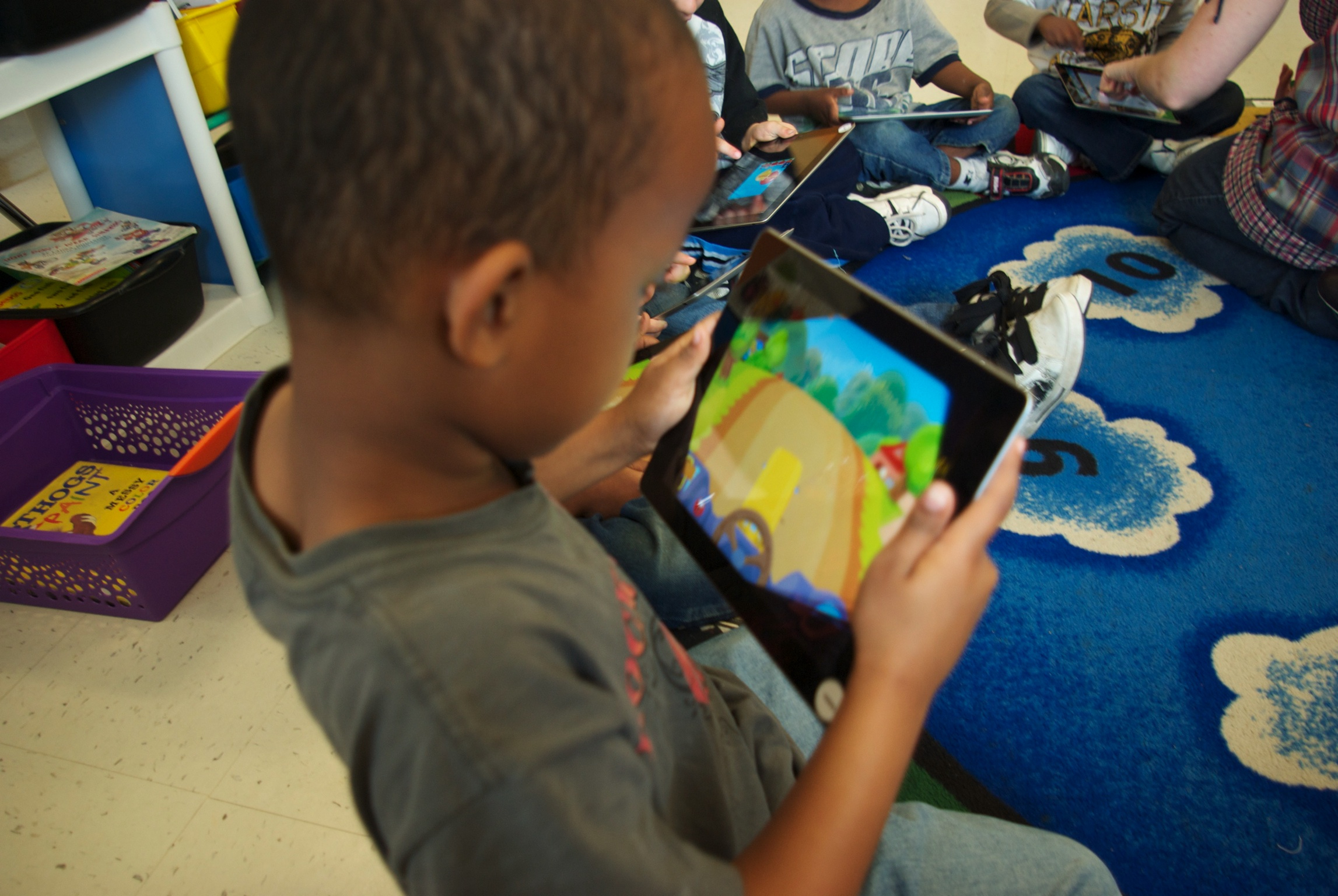
Is the iPad a Viable Solution for the High School?

As districts are deciding which MLTI solution they would like to choose, there have been a lot of questions asked about if the iPad is a viable solution for high schools.

Note 1: I'm not trying to convince folks to choose iPads, but there have not been the same kinds of questions about viability for the HP laptop or the MacBook Air, so I am simply trying to address the question at hand.

Note 2: For folks outside of Maine, MLTI is primarily focused on 7th & 8th grade (the State pays for those two grades), but districts can buy into MLTI for other grade levels at their own cost, most commonly at the high school level.

Two high schools, recognized for their 1to1 iPad initiatives, would seem to be evidence the iPad is a viable device for high school:


Auburn’s Data Shows (Again) The Positive Impact of iPads

Our School Committee wants to know if there has been an impact of having iPads in the primary grades classrooms, and there has been!

In fact, we recently presented those findings to the School Committee.

All our primary grades students participate in CPAA testing (Children's Progress Academic Assessment). It is a test meant to be used as formative assessment to let teachers know where their students are in their literacy and math learning, giving them information about student mastery of specific concepts, helping inform teachers' instruction.

As we look back over the CPAA data from past years, and compare to the cohorts of students who have had iPads, we found that a larger percentage of students have reached proficiency, and have reached it sooner, than in the years before we had iPads. For kindergarten, this is true for 6 out of 8 concepts. For first grade, it is true for 5 out of 7 concepts.

We know it hasn't just been the iPads. We have done a ton of professional development on literacy best practices, math best practices, and educational technology best practices.

But what this data does tell us, is that when we combine teachers with professional development and 1to1 iPads, then our students learn more, faster.

In other words, Advantage 2014, our literacy, math, and iPad initiative, is having a positive effect on student achievement.

So when we ask for iPads for second grade, we aren't just asking for tech or gadgets. We are asking for a proven educational resource that helps our students learn better.

Where Can I Learn More about iPads in Elementary Schools

I get asked regularly, besides my writing about our iPad initiative, who else writes about iPads in elementary education.

Here are some of the folks I read:

  • Sidwell Friends School (the primary grades iPad initiative at the school the Obama girls attend)
  • Fraser Speirs (Scottish tech integrator. Has great posts about iPads in elem sch)
  • Tony Vincent (great info on teaching and learning with mobile tech, especially iPads)
  • Jennie Magiera (amazing tech coach in Chicago, was one of our keynotes at our Leveraging Learning Institute – not exclusively iPads but on the nose about pedagogy with tech)
  • And this blog isn’t about iPads, but we see our iPad initiative as how we implement Customized Learning in the Primary Grades and Mark Davis is a teacher who writes about his experience with customized learning. Very nice, concrete writing about implementation…

More Indications of Positive Results from Auburn’s iPads

We’ve had iPads in our Kindergarten classrooms for more than a year now. This fall, we also rolled out iPads to our 1st grade students. All in the name of improving students’ mastery of literacy and math.

We know that we have too many students who aren’t demonstrating proficiency, so for several years, we’ve been making sure that teachers are getting quality training in literacy and math instruction, and we’re hopeful that, combined with the access to educational resources made possible through iPads, that we’ll increase that level of proficiency.

And when we examined gains made by last year’s kindergarten students, that’s what we found. Our kindergarten students had made more gains than in years past, leading our Curriculum Director to proclaim that taxpayers’ money is well spent.

Read more about our gains in the Sun Journal article Educators Say iPads Help Scores, and the MPBN radio story Auburn Educators Tout Benefits of iPads for Kindergartners (sorry iPad users; you need flash to listen to the story, but you can still peruse the article).

Learning about Leveraging iPads for Learning

We just wrapped up our second annual Leveraging Learning Institute. We played host to 140 educators from across Maine, the country, and around the world! We had folks from Georgia, West Virginia, Massachusetts, and Pennsylvania. We even had five educators from two schools in Japan. What we all had in common was a passion for the potential of iPads to personalize learning for primary grades students.

Apple even sent a bunch of their people to learn from us about how we’re doing customized learning with iPads.

We had wonderful sessions on everything from the kinds of apps we’re using (presented by our 1st grade students!), to how to use various kinds of data to support your initiative, to communicating with the community, to what to do if your initiative is having troubles, to figuring out the complexities of syncing apps in a school setting. Check out all the sessions here. Resources from sessions and the institute are available here. (Fear not! Over the next couple weeks more and more will be posted. Videos of the keynotes will also eventually be posted.)

In addition to the Auburn team, Education Commissioner Steve Bowen, trauma suregeon Rafael Grossmann, Apple Distinguished Educator Kathy Shirley, Apple Distinguished Educator Jennie Magiera, and customized learning evangelist Bea McGarvey presented and participated. Get connected to all our presenters here.

We had wonderful press coverage! Stories highlighted the conference just prior to its starting, the Commissioner’s involvement in the opening keynote, trauma surgeon Rafael Grossmann, who also shared the opening keynote, and Auburn Kindergarten teacher Amy Heimerl, who did her own research study on the effectiveness of the iPads.

Maybe the best press coverage was our team of Auburn Middle School students who live tweeted every session and even participated in a few! (Search for the #adv2014 hash tag and be sure to set your feed to receive “all posts.”)

We’re already looking forward to next year’s conference. But I’ll warn you! We opened registration in the second half of August and registration filled in just a couple weeks with a long waiting list. After this year’s success, we expect to fill even more quickly!

Leveraging Learning: iPads in Primary Grades – Registration Opens Thursday!

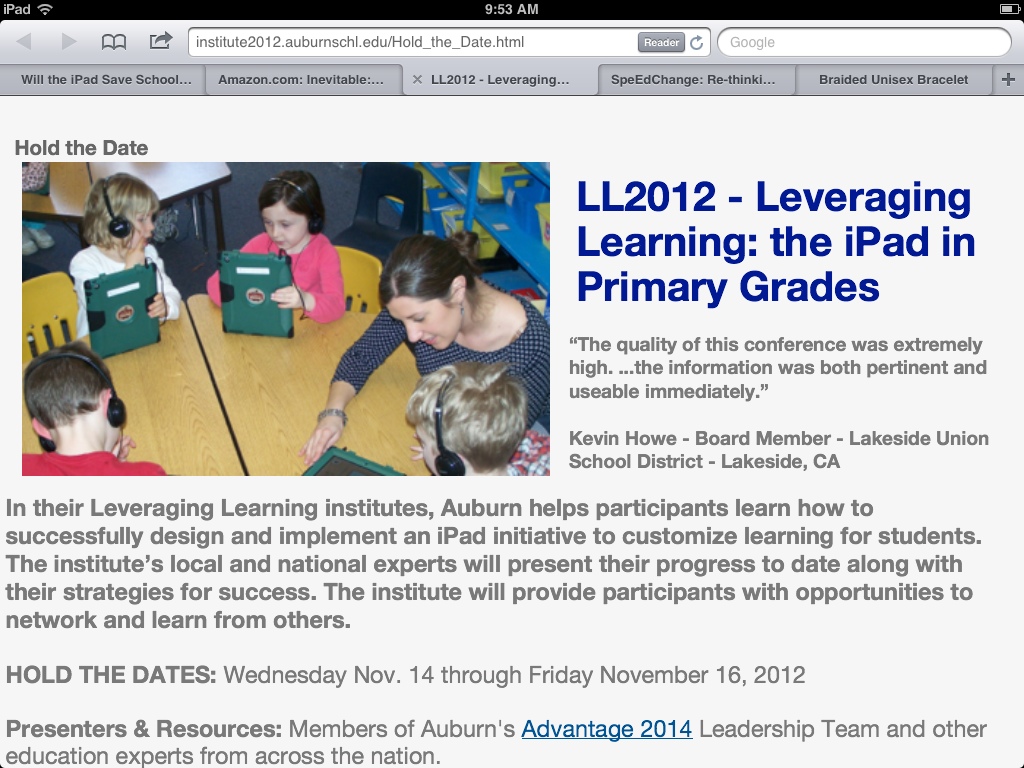
Last November, Auburn successfully hosted their first Leveraging Learning Institute, focused on iPads in primary grades. We will be hosting the Institute again November 14-16, 2012. Sessions will appeal to those just starting and veteran implementers, as well as, those new to our conference and those who attended last year!

We expect the Institute to fill quickly, so please know that registration opens Thursday, 8/23 at noon (Eastern time).

Come gain insights into:

  • How to design and implement an iPad initiative to customize learning for students
  • Structuring professional development for continuous improvement
  • iPads for formative assessment, and special education, and as a creativity tool, and more!
  • Which apps should you use?
  • Leveraging data and supporting your initiative with thoughtful research
  • iPad and iOS management, and large-scale tech implementation
  • Managing apps and iPads in the classroom
  • and more!

Classroom visits will be available as optional pre- and post-conference sessions under separate registration (which also opens Thursday at noon!).

“The quality of this conference was extremely high. …the information was both pertinent and useable immediately.” Kevin Howe – Board Member – Lakeside Union School District – Lakeside, CA – LL2011 Attendee

We look forward to seeing you in November!


MLTI, Kindergarten iPads, & Customized Learning: a Keynote with Gov. King & Commissioner Bowen

Imagine!

Governor Angus King, who started the country’s first statewide 1to1 learning with laptop initiative, on stage with Commissioner Steve Bowen, whose strategic plan for education moves Maine away from Carnegie Units and toward Customized Learning, answering questions posed by kindergarten students who are participating in the country’s first 1to1 learning with iPads in kindergarten program.

What would they say about meeting the needs of all students?

What would they say about the role technology could play?

What would they say their favorite color was?

That was the opening keynote, “Learning – Past, Present, and Future,” at the 2011 Leveraging Learning – iPads in Primary Grades Institute in Auburn, ME.

If you missed the institute, you can still watch the keynote (link to YouTube).

Hope folks can join us for the 2012 Leveraging Learning Institute next November. Registration opens in mid-August.


Should Kindergarteners Use iPads in the Classroom? Absolutely!

This week, Government Technology posted the article, “Should Kindergarteners Use iPads in the Classroom?

It looked like the article had found year-old news of our starting our iPad initiative, thinking it was current, and raised the question if this were appropriate.

I was fine up to the point that readers started posting “black and white”/”all or nothing” comments…

I have submitted this comment:

I’m with Auburn Schools, and it was actually last April that we decided to move ahead with a literacy and math initiative that included 1to1 iPads in Kindergarten. We’re a year into the program and are finding that student engagement is up, teachers find that they are getting to reading groups earlier in the year than in the past, and that it is easier to customize learning for students. We even did a randomized control trial on the pilot which found a statistically significant improvement in the iPad classrooms.

But it is all about the right tool at the right time. We still teach handwriting with pencil and paper, students still play and pretend and read books and work with teachers (all things that some people thought we had plans of stopping once students had iPads – for what reason, I can’t even imagine).

But now that we have actually done it, we entusiastically say yes, iPads do belong in kindergarten.

We’re on track to add 1st Grade iPads for this coming year.

Don’t Miss the Second Annual iPads in Primary Grades Institute

Auburn's Leveraging Learning Institute

Save The Date!

Auburn is hosting its second annual iPads in Primary Grades Institute on November 14-16, 2012.

This is a great opportunity to learn more about how Auburn is structuring their initiative and the key components to pay attention to for your own district’s initiative. Just look at what participants had to say last year:

  • “The quality of this conference was extremely high. …the information was both pertinent and useable immediately.” – Kevin Howe, Board Member, Lakeside Union School District, Lakeside, CA
  • “The emphasis on teams was great and I wish I had brought more team members. Next time!” – Jenni Voorhees, Academic Technology Coordinator, Sidwell Friends School, Washington, DC
  • “We were able to fine tune our current practice and more effectively strategize for the future using what we learned with you.” – Gretchen Schaefer, Early Childhood Instructor, Waynflete School, Portland, ME

Here are some of the great resources from last Year’s conference.

We’ll let you know when registration opens, but for now, hold the date! (but when the time comes, register early! There are only 115 slots!)


Will the iPad Save Schools? – The 4 Pillars of The Schools We Need

Student using an iPad

I’ve been interviewed a couple times over the last few weeks, mostly about our iPad research results.

One journalist asked me if I now thought that the iPad would be the secret to helping more students succeed in school.

I don’t think it is any secret that I am a big iPad fan, both personally and professionally. But I don’t think any piece of technology, by itself, will be responsible for creating the kinds of schools we need, if we are really going to develop the talent of every child. Technology can and should be a critical piece of that, and the iPad is a wonderful piece of technology for learning. But my experience working with schools that are striving to be successful with all students is that there are several key components to consider.

I told the journalist that I thought there were four pillars to the formula for successful schools.

Pillar 1: Customized Learning
Customized learning are the structures and practices that are built around two principles: people learn in different ways and in different timeframes. It might be called individualized/personalized learning, standards-based learning, or performance-based learning, and includes approaches such as RISC or Mass Customized Learning.

Pillar 2: Motivation
Motivation could be thought of as the conditions educators put into place that make it easier for learns to be self-motivated. These include strategies such as creating real world connections to the learning, providing students with voice and choice, insuring that our schools and classrooms are inviting places for students, emphasizing activities that focus on upper level Blooms and involve learning by doing.

Pillar 3: Technology for Learning
Computers, laptops, tablets, and smart phones are the world’s modern tools for work, but they also have the potentinal to be our modern learning tools. But technology has to be looked at, not through the lens of the stuff, but rather through the lens of leveraging the stuff for learning. We need to look at how we use technology for various kinds of learning, as well as our leadership and policies around technology, and how we manage it.

Pillar 4: Leadership for School Change
Large-scale school change has a lot of moving parts that school leaders need to pay attention to and nurture if they wish the transition to be successful. How do we keep “the main thing the main thing”? What are the critical components and what are the supporting components that are still necessary to pay attention to? This is what is at the core of leadership for school change.


You won’t spend too much time thinking about each individual pillar before you realize that they overlap enormously and you can’t really think about one without thinking about aspects of the others. And you’ll realize that some pillars share components (or very similar components). In order to be successful, however, schools need to work on attending to all of four pillars simultaneously, so the fact that there is overlap is not a problem.

What I Did About It

That journalist interview and that question provided me with an aha! moment. Those of you who know me, know that I’ve been working on motivation, leadership, technology and other issues lated to student learning for a long time. But it was that conversation that helped me pull together and synthesize things that had been running around the back of my head.

So I just made a bunch of changes to both my website and my blog leveraging this new aha.

I spent the weekend rebuilding the McMEL (Maine Center for Meaningful Engaged Learning) website so that it was organized around these four pillars. There is also a Projects & Programs menu with links to various exemplars of the kinds of educational programs we need and projects that are a direct result of the kinds of thinking that went into McMEL.

I also went through this blog, reorganizing the categories. There are now categories, not just for each of these four pillars but for each major component of each pillar. I also went through all the old posts and made sure that they were linked to the appropriate categories.

And I have made sure that each page on the McMEL site has links to the appropriate blog posts (at least by category) so that the blog can help populate the information at McMEL.

This might be a rather complicated way of simply saying that I want to help insure that educators have access to good information on these topics both from the McMEL site and the Multiple Pathways blog, and to make it easier as they are looking for guidance on their own initiatives.

iPad may be one of my favorite tools in the Technology for Learning category, but I think it is only one component of the answer to the question, what will help schools be more successful with students. For me, the answer is Meaningful Engaged Learning, including not only Technology for Learning, but Customized Learning, Motivation, and Leadership.


Auburn’s iPad Research Project on the Seedlings Podcast

Seedlings is a great little podcast that, although about educational technology, is really about good teaching and learning.

So I felt honored when the Seedling hosts invited me to return to talk about Auburn’s research on their Advantage 2014 program, best known for giving iPads to Kindergartners. You can download that podcast and access related links here.

This was a follow up to the previous podcast, where we talked both about Advantage 2014, and Projects4ME, the statewide virtual project-based non-traditional program, where students can earn high school credit by designing and doing projects, instead of taking courses.

Responding to Critiques of Auburn’s iPad Research Claims

When we announced our research results last week, Audrey Watters was one of the first to cover it. Shortly thereafter, Justin Reich wrote a very thoughtful review of our research and response to Audrey’s blog post at his EdTechResearcher blog. Others, through comments made in post comments, blogs, emails, and conversations, have asserted that we (Auburn School Department) have made claims that our data don’t warrant.

I’d like to take a moment and respond to various aspects of that idea.

But first, although it may appear that I am taking on Justin’s post, that isn’t quite true (or fair to Justin). Justin’s is the most public comment, so the easiest to point to. But I actually believe that Justin’s is a quite thoughtful (and largely fair) critique from a researcher’s perspective. Although I will directly address a couple things Justin wrote, I hope he will forgive me for seeming to hold up his post as I address larger questions of the appropriateness of our claims from our study.

Our Research Study vs. Published Research
Our results are initial results. There are a lot of people interested in our results (even the initial ones – there are not a lot of randomized control trials being done on iPads in education), so we decided to share what we had so far in the form of a research summary and a press release. But neither of these would be considered “published research” by a researcher (and we don’t either – we’re just sharing what we have so far). Published research is peer reviewed and has to meet standards for the kinds of information included. We actually have more data to collect and analyze (including more analyses on the data we already have) before we’re ready to publish.

For example, Justin was right to point out that we shared no information about scales for the ten items we measured. As such, some of the measures may seem much smaller than when compared proportionally to their scale (because some of the scales are small), and we were not clear that it is inappropriate to try to make comparisons between the various measures as represented on our graph (because the scales are different). In hindsight, knowing we have mostly a lay audience for our current work, perhaps we should have been more explicit around the ten scales and perhaps created a scaled chart…

Mostly, I want my readers to know that even if I’m questioning some folks’ assertions that we’re overstating our conclusions, we are aware that there are real limitations to what we have shared to date.

Multiple Contexts for Interpreting Research Results
I have this debate with my researcher friends frequently. They say the only appropriate way to interpret research is from a researcher’s perspective. But I believe that it can and should also be interpreted as well from a practitioner’s perspective, and that such interpretation is not the same as a researcher’s. There is (and should be) a higher standard of review by researchers and what any results may mean. But practical implementation decisions can be made without such a high bar (and this is what makes my researcher friends mad, because they want everyone to be just like them!). This is just like how lawyers often ask you to stand much further back from the legal line than you need to. Or like a similar debate mathematicians have: if I stand some distance from my wife, then move half way to her, then move half way to her again, and on and on, mathematicians would say (mathematically) I will never reach her (which is true). On the other hand, we all know, I would very quickly get close enough for practical purposes! 😉

Justin is very correct in his analysis of our research from a researcher’s perspective. But I believe that researchers and practitioners can, very appropriately, draw different conclusions from the findings. I also believe that both practitioners and researchers can overstate conclusions from examining the results.

I would wish (respectfully) that Justin might occasionally say in his writing, “from a researcher’s perspective…” If he lives in a researcher world, perhaps he doesn’t even notice this, or thinks it implied or redundant. But his blog is admittedly not for an audience of researchers, but rather for an audience of educators who need help making sense of research.

Reacting to a Lay Blog as a Researcher
I think Justin has a good researcher head on him and is providing a service to educators by analyzing education research and offering his critique. I’m a little concerned that some of his critique was directed at Audrey’s post rather than directly at our research summary. Audrey is not a researcher. She’s an excellent education technology journalist. I think her coverage was pretty on target. But it was based on interviews with the researchers, Damian Bebell (one of the leading researchers on 1to1 learning with technology), Sue Dorris, and me, not a researcher’s review of of our published findings. At one point, Justin suggests that Audrey is responding to a graph in our research summary (as if she were a researcher). I would suggest she is responding to conversations with Damian, Sue, and me (as if she were a journalist). It is a major fallacy to think everyone should be a researcher, or think and analyze like one (just as it is a fallacy that we all should think or act from any one perspective, including as teachers, or parents, etc). And it is important to consider individual’s context in how we respond to them. Different contexts warrant different kinds of responses and reactions.

Was It The iPads or Was It Our Initiative
Folks, including Audrey, asked how we knew what portion of our results were from the iPads and which part from the professional development, etc. Our response is that it is all these things together. The lessons we learned from MLTI, the Maine Learning Technology Initiative, Maine’s statewide learning with laptop initiative, that has been successfully implemented for more than a decade, is that these initiatives are not about a device, but about a systemic learning initiative with many moving parts. We have been using the Lead4Change model to help insure we are taking a systemic approach and attending to the various parts and components.

That said, Justin is correct to point out that, from a research (and statistical) perspective, our study examined the impact that solely the iPad had on our students (one group of students had iPads, the other did not).

But for practitioners, especially those who might want to duplicate our initiative and/or our study, it should be important to note that, operationally, our study studied the impact of the iPad as we implemented them, which is to say, systemically, including professional development and other components (Lead4Change being one way to approach an initiative systemically).

It is not unreasonable to expect that a district who simply handed out iPads would have a hard time duplicating our results. So although, statistically, it is just the iPads, in practice, it is the iPads as we implemented them as a systemic initiative.

Statistical Significance and the Issue of “No Difference” in 9 of the 10 Tests
The concept of “proof” is almost nonexistent in the research world. The only way you could prove something is if you could test every possible person that might be impacted or every situation. Instead, researchers have rules for selecting some subset of the entire population, rules for collecting data, and rules for running statistical analyses on those data. Part of why these rules are in place is because, when you are only really examining a small subset of your population, you want to try to control for the possibility that pure chance got you your results.

That’s where “statistical significance” comes in. This is the point at which researchers say, “We are now confident that these results can be explained by the intervention alone and we are not worried by the impact of chance.” Therefore, researchers have little confidence in results that do not show statistical significance.

Justin is right to say, from a researcher’s perspective, that a researcher should treat the 9 measures that were not statistically significant as if there were no difference in the results.

But that is slightly overstating the case to the rest of the world who are not researchers. For the rest of us, the one thing that is accurate to say about those 9 measures is that these results could be explained by either the intervention or by chance. It is not accurate for someone (and this is not what Justin wrote) to conclude there is no possitive impact from our program or that there is no evidence that the program works. It is accurate to say we are unsure of the role chance played on those results.

This comes back to the idea about how researchers and practitioners can and should view data analyses differently. When noticing that the nine measures trended positive, the researcher should warn, “inconclusive!”

It is not on a practitioner, however, to make all decisions based solely on if data is conclusive or not. If that were true, there would be no innovation (because there is never conclusive evidence a new idea works before someone tries it). A practitioner should look at this from the perspective of making informed decisions, not conclusive proof. “Inconclusive” is very different from “you shouldn’t do it.” For a practitioner, the fact that all measures trended positive is itself information to consider, side by side with if those trends are conclusive or not.

“This research does not show sufficient impact of the initiative,” is as overstated from a statistical perspective, as “We have proof this works,” is from a decision-maker’s perspective.

We don’t pretend to have proof our program works. What is not overstated, and appropriate conclusions from our study, however, and is what Auburn has stated since we shared our findings, is the following: Researchers should conclude we need more research. But the community should conclude at we have shown modest positive evidence of iPads extending our teachers’ impact on students’ literacy development, and should take this as suggesting we are good to continue our program, including into 1st grade.

We also think it is suggestive that other districts should consider implementing their own thoughtfully designed iPads for learning initiatives.

More News on Auburn’s iPad Research Results

The other day, I blogged about our Phase 1 research results on the impact of Advantage 2014, our literacy and Math initiative that includes 1to1 iPads in kindergarten. Now the press and blogosphere is starting to report on it, too.

Auburn’s press release, the research summary, and slides from the School Committee presentation are here.

It’s Your Turn:

Have you found press about this elsewhere? Please share!

Professional Development for Auburn’s iPad Kindergarten Teachers

Auburn is excited that our initial research results strongly suggest that our initiative is extending the impact our teachers are having on their students. It has prompted lots of requests to know more about what we’re doing for professional development with our teachers. Professional development is, clearly, one critical component to any school change initiative, and designing and providing the right kind of PD and support is a critical leadership role.

What professional development did we conduct with our kindergarten teachers?

Content of Professional Development – All of our PD and training has focused on a couple of topics. We wanted to expand our teachers’ skill at applying literacy best practice, and to insure that our teachers and specialists working with kindergarten students had the capacity to select and apply appropriate apps directly toward student academic needs, as well as how to manage the iPads and work within the unique demands of this initiative. We have summed this up at the beginning of each of our PD session agendas with the following goals:

  1. Link iPads to learning.
  2. Problem-solve technology-related issues.
  3. Discuss best practices.
  4. Discuss and review apps.

How did we manage professional development and support that achieved these goals?

PD for Paradigm Shfit – Although teachers can often, sometimes with coaching, apply best practice they are familiar with to unfamliliar contexts, the integration of technology at this level is often a paradigm shift for teachers. Rarely have teachers experienced learning with technology themselves, and many have received very little training with computers, let alone iPads. “PD for Paradigm Shift” recognizes that changing paradigms requires more than sharing information. Schema theory sheds the best light on how to structure professional development for large change: provide models and experiences. See it in action. Live it in action. That’s what we’ve tried to do for our teachers.

Getting Technology into the Hands of Teachers – A terrific first step for professional development is to get the technology into the hands of teachers, so they can become used to it through their own use. We made sure that every teacher had an iPad to use over the summer for this purpose. But it is important to keep in mind that this will develop a teacher’s personal use skill, not their integration for learning skill. That’s not a problem. The problem comes from thinking that if teachers know how to use their iPad that they also know how to leverage it for their students’ learning…

Modeling: Visiting Classrooms – When teachers don’t have a lot of experience with an innovation, one way to get them that experience is by having them visit other teachers who are successfully doing similar work. This can be done in person, or vicariously through videos or stories (not descriptive articles, so much as those that tell the story and paint a picture for the reader – remember, this is not about information, it’s about experience). Unfortunately, there weren’t a lot of classrooms for us to visit when we got started. We have tried to make it easy for our teachers to visit each other’s rooms, and we have had teachers video (on their iPads!) and share examples of what they are doing. Now we’re working to make sure that other teachers can come to visit our classrooms so they can begin to expand their experience (although we’re trying to be careful how we schedule and manage such visits as not to distract too much from the learning that is supposed to be our first order of business!).

Modeling Effective Practices – Did we see a teacher do a great lesson? We had her model that lesson to the other teachers in a PD session. Did we learn a better way to sync or manage apps? We modeled that approach in a PD session. Did we think the press might start contacting teachers? We’d review procedures for dealing with press requests, as well as share talking points and provide them language they could choose to use if interviewed. (Our teachers’ favorite talking point: “That’s a great question! You should ask the superintendent.” I think they might be a little press shy!) 🙂

Connecting with other Educators – A different approach to helping teachers and program leaders build models is to provide them opportunities to communicate with educators who are doing similar work. Networking is a powerful way for teachers to develop their own practice while helping colleagues (often in different states or countries!) to develop their own. Although few teachers have taken us up on these options to date, we encourage them to consider tweeting or blogging about their experiences, since it can help build a diverse professional learning network for the teachers who do. Our teachers are more eager to connect with teachers in more traditional ways: on the phone or via email. One avenue which has really opened possibilities for these connections was the national iPads in primary grades education conference we hosted last November. About half our participants were from Maine, and the other half from across the country (we even had one from India!). We’re already planning next year’s conference.

Constructivist Approach – As we thought about designing PD for our teachers, we didn’t want to just hand teachers information or resources; for example, we didn’t just want to hand them “approved” apps. We wanted teachers to have an intimate understanding of various components of the initiative they were on the front lines of implementing, including app (educational resource) selection. We decided to take a constructivist approach. For example, we had our teachers start by simply exploring apps. They had a limited budget for apps, but could also download as many free apps as they wanted. Then teachers made recommendations for apps that they thought would be the “core collection” of apps, those apps the district would purchase for every classroom. We would give teachers two similar apps and ask, “which one’s better?” to get them thinking about criteria for app selection; this eventually was developed into a rubric. Finally, we correlated apps to our kindergarten curriculum. The constructivist approach insures a deeper understanding based on their own experience.

Collaboratively Designed – I think one of our best secrets to successful professional development and support is realizing that none of us is as smart as a group of us together. We have tried to have a team approach to all design work for this initiative. Our Advantage 2014 Design Team includes central office administrators, our grant writer, a couple School Committee members, a couple parents and community members, as well as our some of our teach folk, and one of our elementary principals (and, of course, me, the Multiple Pathways Leader). We have smaller groups working on specific aspects of the program: funding, research, the Institute, and professional development. Our professional development planning group includes our Tech Director, our elementary Technology Coach, an elementary principal, one of our Special Education administrators, and myself. And even though no teacher is officially on the PD design team, in reality, they all are. We solicit their input in a variety of ways and work hard to be responsive to their needs (see the next section). Teachers helped us craft our policies and procedures, our expectations for teachers, our core collection of apps and our app selection rubric, and other significant components of our initiative.

I can’t over state this: this work MUST be a team effort. I can’t tell you how many times in the last few weeks I’ve said, “See! That’s exactly why we have a team planning this!” And not just for PD, but for lots of different aspects of this work. I don’t care how good some individuals in your district are; he or she doesn’t have the capacity represented by a collection of your staff, with various experience bases, perspectives, and areas of expertise.

Continuous Improvement Focus – We’ve tried to be highly responsive to the needs of our teachers. In additional to listening to our teachers, asking them directly, and being tuned in to situations as they develop, we use two tools. On a regular basis, we have our teachers complete one of two surveys we created in Google Docs. One asks questions about how often they used the iPad that week for various types of tasks (these correspond to our expectations for teachers that we collaborately created with the teachers, and essentially gets to fidelity of implementation). The other survey simply asks about their recent successes and challenges within the program. Although quite simple, both provide us with amazing data on what the teachers need right now. Although we plan our PD sessions in advance, we’ve been known to completely redesign a session hours before it starts based on what we’ve learned the teachers need.

Imbedded Support – Our district has three technology integrators: one for the high school, one for the middle school and one serving our elementary schools. As you can imagine, we’ve had our elementary technology coach spend much of her time working in our kindergarten classrooms. A good technology coach is really a good pedagogical coach. She can collaboratively design lessons with teachers, co-teach lessons, model lessons, sit back and observe and provide feedback, make recommendations to resources and otherwise support teachers. Although the technology coach becomes eyes and ears for program leaders, it is not an evaluative position. The teacher needs to feel safe with the coach working in her room, and we only use information from the coach to help direct resources and support.

Built On A Strong Literacy Foundation – Our teachers had been working on literacy instruction for several years prior to Advantage 2014 and the introduction of iPads to their classrooms. Auburn had been part of the Maine Literacy Project out of the Univerrsity of Maine and our teachers had done graduate level work with the Project. Adding the iPads and its apps was a logical extension of this work, and training we conducted specficially about the iPads was intended to extend this earlier work, not replace it.

Where Did We Find the Time? – We used the usual approaches: taking advantage of workshop days, after-school opportunities, and scheduling a couple days in the summer prior to school starting. But we also had the advantage of the district already having “Early Release Wednesdays” available for our elementary schools. We have used nearly every other Wednesday to provide several hours of training. Some days we met just with the “September Teachers” (the first round of teachers to get the iPads). Other times we met with all the kindergarten teachers, or just the specialists, or everyone all at once.

It’s Your Turn:

What are your best strategies for delivering professional development and support to your staff?

What Apps is Auburn Using and Other Advantage 2014 Information

Since the initial results of our research on improving kindergarten literacy with iPads has come out, we’ve received quite a few questions about what apps we are using, and other basic questions about our program.

Our teachers can largely choose which apps they use. A major component of our professional development with our teachers has focused on exploring apps, deciding what makes for a good app, correlating apps to our curriculum, selecting the apps for our common collection, and getting better at customizing apps to student needs.

This page has both our rubric for app selection and our core collection of apps correlated to our K literacy curriculum.

Additionally, here is where you can find lots of other basic information about Advantage 2014, Auburn’s literacy and math initiative that includes 1to1 iPads in kindergarten.

You can read much more about our program at our Advantage 2014 website.

There are lots of links to resources from the national iPads in Primary Grades Ed conference we hosted last November. (We’re planning now for next November’s conference!)

And this blog has posts about our work. Here are the ones in the Adv2014 category.

It’s Your Turn:

What are your favorite kindergarten apps?

Confirmed: iPads Extend a Teacher’s Impact on Kindergarten Literacy

I’m excited! I’m REALLY excited!

Our “Phase I” research results are in…

iPads in Kindergarten

We (Auburn School Department) took a big risk last May when we started down the path to have the first 1to1 kindergarten learning with iPads initiative. We had confidence it would help us improve our literacy and math proficiency rates. One of our literacy specialists had used her own iPad with students to great success (one of the big reasons we moved forward). But there were also segments of the community that thought we were crazy.

Now we have pretty good evidence it works!

We did something not a lot of districts do: a randomized control trial. We randomly selected half our kindergarten classrooms to get iPads in September. The other half would use traditional methods until December, when they received their iPads. We used our regular kindergarten literacy screening tools (CPAA, Rigby, Observation Survey) for the pre-test and post-test. And across the board, the results were emerging positive for the iPad classrooms, with one area having statistical significance.

These results are a strong indication that the iPad and it’s apps extend the impact our teachers have on our students’ literacy development. We definitely need more research (and will be continuing the study through the year, including comparing this year’s results to past years), but these results should be more than enough evidence to address the community’s question, “How do we know this works?”

And I’m especially excited that we went all the way to the Gold Standard for education research: randomized control trials. That’s the level of research that can open doors to funding and to policy support.

Why do we think we got these results?

We asked our kindergarten teachers that question. Anyone walking by one of the classrooms can certainly see that student engagement and motivation is up when using the iPads. But our kindergarten teachers teased it out further. Because they are engaged, students are practicing longer. They are getting immediate feedback, so they are practicing better. Because we correlate our apps to our curriculum, they are practicing the right stuff. Because we select apps that won’t let students do things just any way, we know the students are practicing the right way. Because they are engaged, teachers are more free to work one on one with the students who need extra support at that moment.

We also believe we got the results we got because we have viewed this as an initiative with many moving parts that we are addressing systemically. A reporter asked me, how do you know how much of these results are the iPad, how much the professional development, and how much the apps. I responded that it is all those things together, on purpose. We are using a systemic approach that recognizes our success is dependent on, among other things, the technology, choosing apps wisely, training and supporting teachers in a breadth of literacy strategies (including applying the iPad), partnering with people and organizations that have expertise and resources they can share with us, and finding data where we can so we can focus on continuous improvement.

And we’re moving forward – with our research, with getting better at math and literacy development in kindergarten, with figuring out how to move this to the first grade.

So. We have what we were looking for:

Confirmation that our vision works.

It’s Your Turn:

What do you think the implications of our research are? What do our findings mean to you?

Learn More about Projects4ME and Auburn’s iPad Program

The other night, I had the pleasure of joining Cheryl Oaks, Alice Barr, and Bob Sprankle on their Seedlings podcast.

We had a chance to talk about Auburn’s literacy and math initiative at includes 1to1 iPads in kindergarten and Projects4ME, Maine’s statewide virtual project-based program for at-risk youth.

Check out the links and podcast here.

Advantage 2014: The iPads are rolling out!

We’ve started!

The iPads have been rolling out!

Half our kindergarten classrooms now have iPads for each of our kindergarten students, as part of Advantage 2014, our initiative to improve the literacy and math learning of our primary students. (Don’t worry, the other half of classrooms will get theirs after we’ve had a chance to collect some data and see if we we a making a difference or not.)

Kindergarten student being interviewed for the radio

And it’s not surprising that the press wasn’t far behind our roll out!

Want a glimpse (or two) into the program?

The Lewiston Sun Journal created this video.

CNN produced this segment.

And MPBN has broadcast this radio story. (Sorry iOS users. This one is in Flash)

And if you really want to learn more about what’s going on in Auburn with the iPads, consider sending a team to our conference this November: Leveraging Learning: the iPad in Primary Grades

Update on Auburn’s iPads in Kindergarten

Auburn Kindergartener with his iPad

Well, we’ve had Kindergarteners with iPads since mid May, and it has been awesome!

We rolled out iPads to 5 Exploration Classrooms (about 100 students) so those teachers could help us find apps that helped us meet our curricular goals, establish classroom procedures for working with the iPads, and generally help us test out our program before beginning the pilot with all 16 kindergarten classrooms in the fall.

Recall that Advantage 2014 is Auburn School Department’s k-3 literacy and numeracy initiative.

Watch the Spring update.

What are my favorite apps for a teacher?

As soon as my friends and family recall that I’m an iPad guy, they often ask me what the best apps are. Just last night, a fellow educator asked on Facebook, “Hi Mike! Any iPad apps that I absolutely must have to help make my life easier in the classroom?”

I started to respond in Facebook when I realized both it wasn’t going to be a short response, and that Stephanie isn’t the first to ask, and certainly won’t be the last. So I decided to respond through the blog

So here is what I would say to Stephanie:

I have lots of ideas for apps, but they might not all just be focused on “the classroom…” although they would certainly each be good for a teacher.

The first app I recommend to anyone is AppStart. It’s free, and kind of asks you how you want to use your iPad and then gives you reviews of apps that work toward that goal. The iPad is a different enough paradigm from a desktop or laptop that I found this app incredibly helpful, even after I’d had my iPad for nearly a year.

I love Keynote. I’ve leaned toward Keynote on my laptop over PowerPoint for some time, but I like Keynote on iPad even better (well, maybe I like presenting with my iPad better than I do with my laptop…). It doesn’t have as many features as the desktop/laptop version, but is slick, none the less. I hardly ever even create a Keynote on my laptop anymore. I just create my presentations right on my iPad. You’ll need a dongle so you can connect to your projector or to a HDTV. The major thing that the desktop version will do that the iPad version will not is play imbedded movies in the presentation.

You can even share your presos between your regular computer and your iPad using a couple of different approaches (iDisk, if you’re a MobileMe subscriber, but also through iWorks.com, and email -although some are really too large to email).

Get a Dropbox account (think hard drive on the internet – free for 5Gig) and the Dropbox app. A lot of apps will let you share and open documents via Dropbox. I’m hardly using my real hard drive any more at all (except as an archive). Also, it is a great way to move documents between your iPad and your desktop/laptop (any of your devices that connect to the internet can use your Dropbox space).

Pages is a terrific word processor. But I’ve tried a bunch of different writing tools and think I have decided that my favorite is PlainText. It will save your documents in a special Dropbox folder. I’ll even use this first for drafting, even if I’ll have to copy/paste it into another program to format it later.

If you get a lot of Word or Excel documents, you might not want to use Pages or Numbers all the time. I find Quickoffice helpful for that. It’s more limited that Office (but generally iPad apps are simpler versions of the full blown software on a desktop). In addition to DropBox, I save things on my iDisk (another Internet hard drive, this one available through your MobileMe account). Quickoffice works with iDisk, so I save a lot of my current Word and Excel documents on my iDisk so I can use them both in Office on my laptop and Quickoffice on my iPad.

I have done my pleasure reading on Palm or iPhone for over a decade (and ever since I started, I have liked it better than a print book because of backlighting, adjustable font, and smaller size.). I have continued this on my iPad. I love the reading experience on iBooks (Apple’s own ereader) the best. But just like with the music companies when they started the iPod, not all publishers have signed on to the iBookstore yet, so, although they have a pretty big collection, some other ereaders have more. My second choice for ereaders is the Kindle app. The reading experience isn’t as good (although there are more ways to customize the page, the page layout isn’t as pleasant – which really does impact how nice it is – or not – to read – and the syncing is not reliable, so when you stop reading on your iPad and then a little while later try to pick up reading on your iPhone, you aren’t in the right place. This has only been an issue with iBooks when one or the other of the devices you’re switching between isn’t connected to the internet).

I used to buy electronic books for pleasure reading, but print for my professional books. But Amazon offers Kindle versions of many of the professional books I’ve wanted recently, so I have been buying in that format. I can still bookmark, make notes, and highlight text (and it’s much easier to go back and find later!). Also, the Kindle version has been at most the same price as the print version, but often less. And I can be reading in a minute or two and not have to wait for delivery (what do they mean “expedited” shipping?! They should just call it “not quite so slow shipping”!)

Another awesome app is Evernote. It’s a note taking app. Nothing fancy, but it saves the notes on the Internet. I used to take notes of meetings at school on my iPad, but when it was time to write the monthly reports, could easily open it on my Mac…

Do you subscribe to RSS feeds (Like with Google Reader)? I like River of News for reading those posts. Lots of folks like Flipboard, which is kind of cool, but it groups all your feeds together and sorts by date, but I sometimes want to look at the feeds from a single feed and that’s pretty easy with River of News.

I like Things for my To Do list. It’s available for both iPad and my Mac (probably other operating systems, too) and I can sync my lists if both devices have Things open and are on the same network.

I like SplashID for keeping track of all my passwords and personal information. There are versions for iPad, iPhone, and Mac (PC and others, I’m sure), and now the latest versions will all sync together – so my laptop, iPad, and iPhone all have the same list of passwords, etc.

I use Dragon Dictation for turning my dictation into text. Far from the quality seen in Sci Fi movies, but really quite good. I’ve used it before for quickly drafting an article or other piece of writing. Even with the time needed for fixing speech-to-text errors, it was much quicker than typing from scratch.

Other personal favorites? Zinio for magazines. eBay (other than for posting things for sale, I like the app better than going to the website). Solitaire (there are a gazillion of them, but I like Solitaire City. Netflix (your regular home subscription is good for all your devices). ABC Player – watch all of ABCs prime time shows. TWC Max+ (the Weather Channel’s weather app – my favorite weather app). Pandora for music (you name a song and then they create a “radio station” for you with music just like it). Instapaper for saving blog posts and other web articles for reading later. Blogsie for blogging. My bank has a good app for online banking – I think lots of large banks do and so far I like the iPad one better than using the website.

And although I’ve said a couple times that I like this app or that app better than going on the webpage, I have to say that Safari is a great browser and I really love how it works on the iPad. And I didn’t really mention Mail or Contacts or Photos or Maps or Calendar, because they are all included in the iPad, but I very much like how they work on the iPad and how seamlessly they integrate with the Mac desktop versions (especially using MobileMe, Apple’s syncing service).

So, my stepson looks at me and says, “Mike, you don’t have a short answer for anything!” I think maybe he’s right… But hopefully I’ve given you some good ideas…

(And for those of you who are interested in what apps we’re using in Advantage2014, Auburn, Maine’s early learning initiative that includes giving iPads to kindergartners, our list of standard apps is here.)